GolfbaysUSA

GOLF BAYS BLOGS

Product deep-dives, enclosure & simulator advice, and much more…

SHOWING 1 TO 5 OF 5 RECORDS

The Art of Putting on a Golf Simulator: A Comprehensive Guide

May 30, 2024

By David Wright

The Art of Putting on a Golf Simulator: A Comprehensive Guide

Avid golfers know that a rainy day doesn't mean you can't hit the greens. Thanks to golf simulators, you can now enjoy a round of golf indoors, come rain or shine. These high-tech devices use specialized sensors, cameras, or doppler radar technology to mimic the experience of a real round of golf, right down to the putting. But how does putting work in a golf simulator? It's not as straightforward as you might think. There are various methods, each with its own advantages and quirks. Whether you're using sensors, opting for auto putt, or trying out other techniques, you're in for an experience that's as close to the real thing as it gets. So, let's dive into the world of golf simulators and discover how you can perfect your putt, even when you're not on the course. How a Golf Simulator Can Improve Your Putt When it's not possible to hit the golf course, a home golf simulator stands as a promising solution. This powerful tool can help improve your golf skills, specifically your putting technique. First off, having a ground-level target resembling a golf hole proves extremely beneficial. Why? It's no secret that these simulators particularly prioritize the initial launch of the ball. With a target in sight, you get better at directing your shot, which heightens your putting abilities. More about playing space, golf simulators do ask for a good amount, especially when set up indoors. To illustrate, when your screen is positioned 15 feet away from where you're hitting the ball, it's essential to hit it to stop right at the screen. From there, it's all about revising the feedback from the simulator, paying attention to the translated putt distance in particular. For instance, if the ball travels a distance equal to the gap between you and the screen—for instance, 15 feet—jot down a 1:1 ratio. Armed with this ratio, you can determine the force necessary to drive the ball to the screen, bearing in mind your putt speed. Indeed, mastering the speed of your putt is paramount for effective utilization of a golf simulator. All this detailed data that a simulator provides gives you ample insight into your putt pace. So, even when Mother Nature isn't sympathetic, or your schedule is at its busiest, you can keep refining your putt skills. In sum, a home golf simulator not just brings the golf course to you but also helps you perfect your putt, overcoming constraints, and keeping your golfing passion alive and well. Setting Up Your Simulator for Putting Practice Embarking on simulator putting practice entails careful consideration of the space in your home. The room that houses your golf simulator and indoor putting green ought to provide ample room for both equipment and swing movements. Certain golf simulator software packages can be tailored to your preferences, allowing you to manipulate green conditions, such as slope, speed, and distance control aspects. This customization enables a more realistic golf course experience in your own home. Navigating the shift from tangible greens to virtual ones can be somewhat bewildering. A key part of this challenge lies in the subtle differences in tactile feedback and visual cues when putting. Immerse yourself in the simulator's settings to build familiarity and regular practice, proving instrumental in acclimating to the virtual environment. It's crucial to acknowledge that not all simulated greens flawlessly mirror outdoor green conditions. This discrepancy is particularly evident in areas such as speed and slope. Therefore, investing in a top-notch golf simulator, renowned for its accurate replication of green conditions, is a wise choice. Making routine updates to your golf simulator software package ensures the highest possible fidelity in your golf simulation experience. Limited living space can hinder your setup and curtail your swing, potentially impacting your practice. Here's where creative layout optimization comes in, and for those especially tight on space, consider compact simulators. Space constraints won't hold you back if tackled innovatively! Technical hiccups are bound to occur now and then. Being familiar with basic troubleshooting methods and carrying out regular maintenance keeps your practice sessions running smoothly without technical glitches throwing you off your game. Keeping up your motivation and concentration is equally significant. This objective can be achieved by setting feasible goals and engaging in online simulator golf communities, providing a platform for continued growth and learning in the game. Tips for Putting Using a Golf Simulator When it comes to mastering putting strategy on a golf simulator, the approach can differ from practicing on a natural golf course. But remember, a well-calibrated setup, accompanied by consistent practice, can make you successful in simulated putting. Here, we provide some practical suggestions to help you perfect your putting practice using a golf simulator. Set a Target in the Direction You’re Hitting One of the simplest techniques to improve your putting game on a golf simulator is using a ground-level target, such as a golf hole. It’s a worthwhile strategy because most simulators are designed to read the initial launch of the ball. With a clear target to aim for, you can methodize your golf strike and visualize the resulting trajectory. Remember, the use of targets aids in keeping your focus and develops a near-to-natural putting experience. Gauge the Distance Often, golf simulators demand ample indoor space. For example, a screen placed 15 feet away from where you strike the ball on the simulator requires you to amplify your hit to stop the ball right at the screen. After the shot, cross-verify the feedback from the system to understand how far the ball actually travelled. If the simulator reports the ball's travel distance as 15 feet, congruent with your real-life space, you can deduce a 1:1 ratio. Here, understanding the relation between your swing's power and the generated outcome on the screen provides valuable insights into enhancing the unison of your simulation putting practice. Get Used to the Greens Transitioning from a physical green to a virtual one certainly needs some adjustment. The simulated experience lays down the challenge of familiarizing oneself with the virtual greens to enhance precision. High-quality simulators with up-to-date software simulate detailed, accurate greens. Moreover, frequent practice and familiarization with the settings and course layouts will enable you to gradually adapt and overcome this virtual challenge. Simulator putting indeed signifies a different aspect of golfing, but overcoming its challenges not only improves your experience but also contributes to your overall skill improvement in the game. Best Golf Simulator With Putting: Our Top Pick Let's dive into our top pick of golf simulator that offer a superior putting experience. SkyTrak SkyTrak emerges as a powerful solution when it comes to golf simulators with putting. Owing to its diverse simulator software integration, SkyTrak offers flexibility, a feature often sought after by frequent golf simulator users. Whether you prefer a particular software package or a specific group of course options, SkyTrak caters to your needs. It's noteworthy that the SkyTrak system operates using a photometric approach. This accounts for its impressive accuracy levels. However, achieving reliable results hinges on a proper setup. Things like flickering lights or off-center positioning can interfere with its accuracy. That said, with an important caveat – get the setup right and you’ll experience one of the foremost golf simulators with putting. What’s more, SkyTrak's design accommodates smaller spaces, a significant advantage for those restricted in terms of room depth. It's important to remember, though, that putting takes a hit when not using the optimal setup. Generally speaking, SkyTrak is a solid choice, following through consistently with practice sessions. the ball. By focusing on hitting the ball towards the target, your putting skills naturally elevate. Practicing with Purpose: Structured Putting Drills Putting in a golf simulator isn't as straightforward as swinging a club and expecting the ball to land in the hole. It takes extensive practice and the right technique. So, let's discuss structured putting drills to fine-tune your skills further. Accurate putting drills, when practiced regularly, significantly improve not only your hand-eye coordination but also enhance your alignment, timing, and speed. Use the ground level target in the golf simulator as the "hole". Aim to hit it with every putt. This simple, repetitive practice hones your focus and makes you familiar with understanding your launch. No matter if your screen is a mere 15 feet away, it's crucial to hit every ball aiming for it to stop right at the screen. The subsequent feedback from the golf simulator is important—it provides a comprehensive analysis of your putt speed and stroke power. The more you practice, the more accurate your 1:1 ratio calculations become, bolstering your chances of hitting the screen with the right ball speed. A dedicated putting mat can replicate a more realistic roll, add authenticity to your training, and contribute to providing a meaningful practice. Integrating this piece of equipment into your home set-up amplifies your training experience. I also highly recommend verifying the simulator set-up. Don't compromise on a precise calibration—you wouldn't want to miss out on perfect putt scores due to incorrect ball path measurements. Simulator technology allows passionate golfers like us to play the game we love from the comfort of our homes. Thus, it's essential to master the skill of putting with accuracy and precision, solving the baffling issue encountered by many when replicating an on-course putting experience on the golf simulator. So, continue practicing with purpose, and don't forget to leverage the full potential of your golf simulator. It's more than just a game—it's a holistic training tool to help golf enthusiasts enhance their putting proficiency. Common Challenges and Tips for Overcoming Them in Golf Simulator Putting Mastering the art of putting on a golf simulator can be a game-changer. It's not just about hitting the ball; it's about understanding the technology and using it to refine your skills. As we've seen, simulators like SkyTrak offer detailed feedback and precision measurements that can take your putting to the next level. But it's not always a walk in the park. You'll face challenges like finding adequate indoor space and getting the hang of manually inputting putts. Yet, with structured drills and a focus on hand-eye coordination, alignment, timing, and speed, you can overcome these hurdles. Remember, golf simulators aren't just a rainy day substitute. They're a tool for enhancing your game, making you a better golfer, and keeping your passion for golf alive. So, embrace the technology, practice regularly, and watch your putting skills soar.
Pro Golfers Choice of Golf Simulators

May 16, 2024

By David Wright

Pro Golfers Choice of Golf Simulators

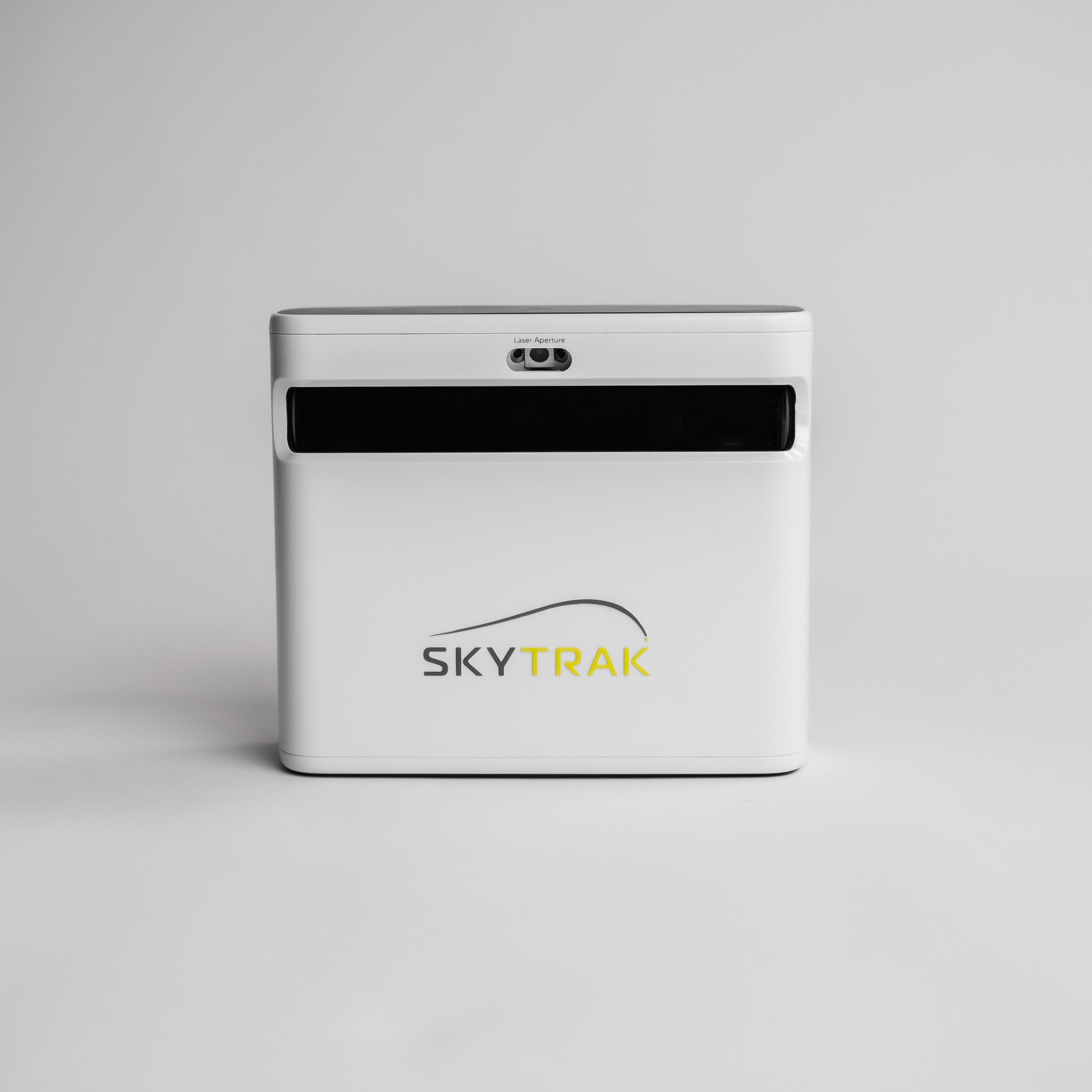
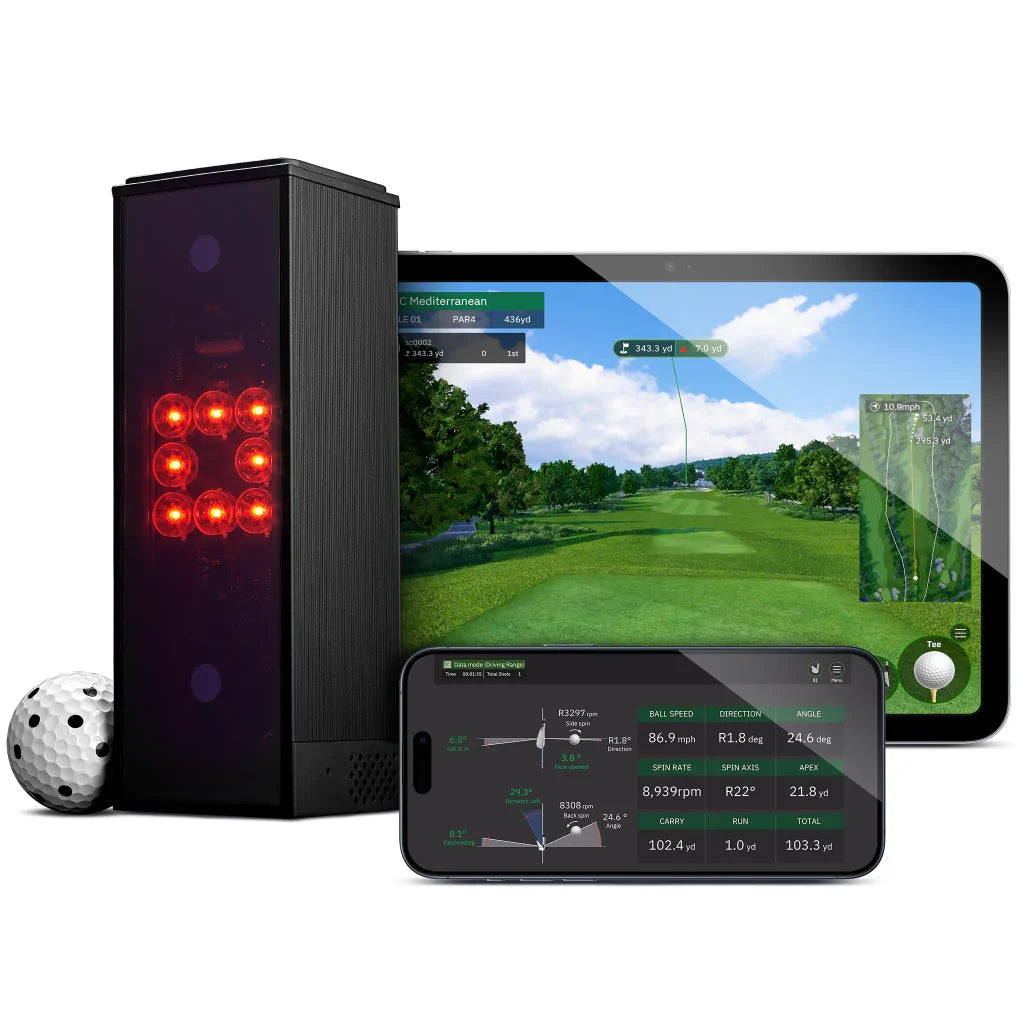
Ever wondered how professional golfers keep their swing in check, even when they're off the green? The secret lies in their living rooms, with state-of-the-art golf simulators that provide real-time feedback on every shot. These aren't just high-tech toys; they're essential tools for mastering the game, used by pros during the off-season to analyze their swing and understand their weaknesses. What Launch Monitors Do Tour Pros Use? In the world of professional golf, accuracy isn't just about the player's precision. It's also about the correctness of the equipment they use for analysis and training. Among these, launch monitors are particularly key. Known for their reliability, two models from Trackman and SkyTrax top the list of favourites among tour pros. Consistent performance is the mantra in the field of professional golf. The Trackman launch monitor, revered for its precision, plays a significant role. It not only measures essential metrics like clubhead speed, ball speed, launch angle, and spin rate but provides comprehensive data analysis. Such an analysis is essential for pros looking to refine their swing and ball flight. Similarly acclaimed for its precision and portability, the Foresight GCQuad is another tour pro favourite. Expectedly, it offers the same key data points as the Trackman, coupled with the added benefits of versatility and portability. In golfing, as most pros will confirm, understanding the minute intricacies of your swing can make all the difference. That explains why these pro-grade monitors might feel out of reach for an average golfer. But interestingly, there's a silver lining. Keen golfers have options that provide similar performance without breaking the bank. For instance, SkyTrak offers similar data analysis capabilities, making professional-grade golf accessible to more and more enthusiasts. Not just for analysis and training, but these monitors also serve real-time during tournaments. If you tuned into this year's US Open, you might've noticed Trackman setups on every tee box. Yes, even the finest players use tech aids like Trackman to eliminate guesswork entirely from their game! TrackMan Used extensively on tour, TrackMan 4 is a favorite launch monitor for golf pros, with dual radar sensors, camera sensors, and artificial intelligence (AI) included in its features. It offers a complete, flexible home set-up while delivering accurate, informative data in real-time. It's portable, lightweight at 2.8kg, and offers four hours of playtime on battery. Best Outdoor Radar Tracking - Trackman Trackman's combination of cameras and Doppler radar provides exceptional benefits for outdoor use. The patented Optically Enhanced Radar Tracking (OERT) system works in perfect sync with an inbuilt camera to offer the best of both worlds. It employs multi-sensor technology, ensuring that ball and club data are analyzed accurately and swiftly. The AI feature of the Trackman 4 even enhances this accuracy further, enabling pros like Justin Thomas, Sergio Garcia, and Dustin Johnson to fine-tune their game. It's worth noting, though, that you'll need a tablet or phone to display the data obtained from this high-tech launch monitor. Trackman's popularity isn’t just reserved for outdoor use. Its innovative hybrid device is equally adept for indoor use. For golf pros, practice amateurs, and fans alike, Trackman is a perfect combination of high-definition camera-based technology and radar-based technology, making it suitable for both indoor and outdoor use. It's also interesting to note that some professional players like Tiger Woods opt for semi-permanent simulator installations in their homes for practice. These simulators, with their effective utilization of space and portability, range in size from 8 to 12 feet in width. They can be quickly stowed away when not in use, offering an excellent balance of size and flexibility for indoor training. The TrackMan 4's many features, combined with its capability for both indoor and outdoor use, makes it a drool-worthy addition to any golfer's toolkit. Such an array of features is rare in most golf simulators, and it's this aspect that sets TrackMan apart from the crowd. Whether you're a tour pro or an aspiring amateur, it’s a great investment for perfecting your swing and improving your overall game performance. SkyTrak Transitioning from popular models like Trackman and Foresight GCQuad, we now shift focus to SkyTrak. SkyTrak is an effective contender in the golf simulator market, especially suitable for those seeking a practical home setup. This compact device features a small footprint, offering ease of installation without demanding large space. It sits a foot adjacent to the golf ball, providing a more user-friendly experience than models requiring several feet of behind-ball clearance. Additionally, SkyTrak has no specific spatial prerequisites. Yet, I typically suggest maintaining a buffer around the golf enclosure – a few inches on the sides, a foot behind the screen, and roughly seven feet behind for a comfortable backswing and follow-through. These measurements, however, can be tweaked to fit a constricted setting, truly living up to the device's reputation for cater to tighter spaces. The SkyTrak offer includes not just the device but also the Basic Practice Range Software with diverse data parameters for detailed feedback. Metrics such as Club Head Speed, Ball Speed, Launch Angle, Back Spin, Side Spin, and Side Angle are all tracked, supplemented with club data inclusive of smash factor, club path, and face angle. Potential users of SkyTrak also have upgrade options like the Game Improvement Plan and Tee Off Package, which further enhance the experience. The device is compatible with various software, including World Golf Tour, E6 Connect, and TGC 2019, thereby providing diverse gameplay options. SkyTrak's utilities cover both home and range installations. Its portability, enhanced with an optional protective case, ensures its safety while moving. Meeting technology requirements is effortless as the SkyTrak application is compatible with iOS, Android, and Windows PCs. This launch monitor serves as a viable choice, especially for players with limited space who desire comprehensive game improvement tools. The imminent SkyTrak Plus promises to carry forward the same footprint while enhancing the experience.
Decoding the Accuracy of Golf Simulators: Fact vs Reality

May 15, 2024

By David Wright

Decoding the Accuracy of Golf Simulators: Fact vs Reality

In the world of indoor golf, the accuracy of golf simulators is a game-changer. It's the realism they bring, making them a notch above even outdoor courses, that's truly astounding. But how accurate are they really? That's the question we're about to delve into. Accuracy in golf simulators hinges on the data they process. More data means less guesswork and consequently, more precision. It's a fascinating blend of technology and sport, where the finest systems merge multiple technologies, tracking both club and ball data. Yet, even the best golf simulator isn't immune to outside influences that can affect its overall accuracy. And while technology can occasionally let us down, the silver lining is that we can usually diagnose these issues. Buckle up as we explore the intriguing world of golf simulators and their accuracy.   Golf Simulator Question: How Accurate and Realistic Are Indoor Golf Simulators? In the world of indoor golf, the accuracy of a golf simulator is key. Golf Simulation: Assessing Golf Accuracy Accuracy affects the overall gaming experience and determines how closely the simulator mimics on-course play. For instance, simulators cannot replicate the feel of a 20mph side wind or the effect of an uneven lie. Also, it's hard simulating the experience of playing out of the rough. On the fairway, factors like temperature, humidity, and elevation can yield a variation of up to 30-40 yards with longer clubs. 1. Launch Monitor Technology Simulator's core technology, the launch monitor, accurately measures club data on ball impact leading to realism. Some parameters it monitors include clubhead speed, launch angle, and spin rate. High-quality monitors provide accurate data, enhancing the realistic golfing experience. Radar-based technologies may fail to accurately measure spin indoors and instead estimate it. This results in inaccuracies, especially with shots not made from the centerface of the club. Therefore, better simulators employ camera-based technology that actively tracks and captures the spin rate. 2. Full Swing, Ball Flight, and Launch Mechanics The simulator's system should accurately capture the golfer's full swing mechanics and replicate the exact ball flight. Contemporary simulators employ high-speed cameras, infrared sensors, and motion capture technology to track these actions with precision. Quality and calibration of the monitor play a vital role. The more upgraded the simulator hardware and software, the more likely they mimic real-life golf play. 3. Club Fitting Parameters Some simulators offer club fitting recommendations based on data collected during gameplay. These calculations are made after accurate data is obtained from the launch monitor and simulation software. Thus, reliable launch monitor metrics help players perfect their adjustment, form, and angle during tee times. Unrealistic Golf Simulator? Here Are Possible Reasons Why Golf simulator realism is of utmost importance when providing an indoor gaming experience that matches on-course play. Inaccurate golf simulator performance could be traced back to several factors, that contribute to a less than satisfactory virtual gameplay. Poor Setup An improperly configured golf simulator can detract significantly from the level of realism. Errors in launch monitor calibration, or incorrect projector settings, can distort the game experience. At worst, incorrect setup can lead to inconsistencies in the ball flight and distances, deviating from what the player may experience on an actual course. Inaccurate Sensors The reliability of a golf simulator leans heavily on the accuracy of its sensors. Sensors in poor working condition or not calibrated correctly can output inaccurate data, potentially resulting in a sub-optimal virtual golfing experience. One prominent manifestation of sensor inaccuracy is an unrealistic ball flight and swing analysis. Poor Choice of Simulator A mismatch between a simulator and the end-user's needs could lead to unsatisfactory results as well. The market offers a broad range of golf simulator models, each having unique features concerning accuracy, graphics, and other specifications. An ill-suited model for your specific practice requirements or playing style can hamper the realism of simulated play. Inaccurate Tracking Systems The effectiveness of tracking systems, such as launch monitors and motion sensors, carries significant weight in a simulator's realism. Fluctuating or imprecise tracking data can generate unrealistic ball flight trajectories and skew the swing analysis, compromising the overall accuracy of the virtual link. Inconsistent Ball Physics For the golfer, understanding ball physics, including spin, roll, and bounce, is critical for a realistic golfing experience, virtual or otherwise. If the simulator fails to model these physics accurately, it can lead to substantial discrepancies between the simulated and actual gameplay. Room Setup and Space Limitations The physical golfing environment influences the accuracy of golf simulators. That is, the lack of wind effects or a completely flat lie each round can make virtual play dissimilar to real-world conditions. Also, the inability to adjust the space as per the outdoor playing conditions contributes to this inaccuracy. Inadequate Calibration Inaccuracy in a golf simulator could additionally stem from an inadequately calibrated system. Simulators depend on a multitude of data calculated by your shot. If these metrics are captured by a poorly calibrated system, the resulting prediction can be unrealistic, leading to a significant decrease in simulator accuracy. Golf Simulators vs. Real Golf Feel of A Golf Simulator A significant distinction between actual golf and golf simulation lies in the feel. It isn't about touching or haptic sensations. Instead, it's about the inexplicable sense of certitude and amusement that multipart elements like the fairway's tenor, the lie, and other environmental factors summon up when you're about to swing outdoors. Although top-notch projectors and screens like the Optoma HD Short Throw Golf Simulator Projector and SwingBay Golf Simulator Enclosure offer impressive graphics, replicating the real feel when striking indoors remains challenging. Putting and Chipping On A Golf Simulator Reduced depth perception can pose challenges for putting and chipping on golf simulators. Often, lauch monitor inaccuracies get blamed for these difficulties; however, the truth tends to be elsewhere. The challenge lies not in incorrect simulator readings, but rather in gauging the needed force when you're relying on virtual depth perception — akin to putting with limited depth perception, making it extremely hard to assess the distance and break of a putt. Environmental Factors - You're playing in a dome With virtual golf, external environmental elements cease to exert any influence on your swing. For example, a 20mph sidewise wind can drastically alter both your swing and your ball flight when playing in reality. However, similar conditions present no effect on your swing when you're into a round of virtual golf. Lie Variability On A Golf Simulator Understanding the lie variability and contour of your real-life golf course can influence your swing and gameplay fundamentally. Unfortunately, these ambient factors become hard to replicate within an indoor setting. Nonetheless, golf simulators are working diligently to mimic these experiences as closely as they can. High-quality projector and screen combinations play an instrumental role in enhancing the indoor experience. Bunker Shots On A Simulator Simulating bunker shots on a golf simulator can be problematic, where shots might cover a distance of either 5 yards or 50. Incorporating the unpredictability and complexity of real-life bunker shots into a simulator framework remains a daunting task, a problem yet to be solved. Golf Simulator Advantages So, how accurate are golf simulators? They're not perfect, but they're getting closer each year. With the right setup and calibration, they can offer a highly realistic approximation of the outdoor game. They're great for practicing your swing, improving your aim, and even playing a round when the weather's not on your side. However, there are challenges. Putting, chipping, and bunker shots can be tricky to replicate, and the lack of environmental factors can make the experience feel less authentic. It's also worth noting that depth perception can be reduced in an indoor setting. Remember, the key to a good golf simulator experience is choosing the right equipment, setting it up correctly, and calibrating it accurately. Despite the limitations, golf simulators are an excellent tool for honing your skills and keeping your game sharp, no matter the season.
Mastering the Perfect Set-Up: How High Should Your Ceiling Be for a Golf Simulator?

May 14, 2024

By David Wright

Mastering the Perfect Set-Up: How High Should Your Ceiling Be for a Golf Simulator?

If you're an avid golfer, you know the importance of practice. And what better way to practice than with a home golf simulator? But before you start swinging, there's a key question to ask: how high should the ceiling be for your golf simulator? This seemingly minor detail can significantly impact your golf game. A ceiling that's too low could alter your swing, defeating the purpose of having a simulator. On the other hand, a ceiling that's too tall could pose problems for mounting your projector. The ideal height? It's generally recommended to have a ceiling height of at least 10 feet, although this can depend on factors such as your own height and swing. What Is the Ideal Ceiling Height for a Golf Simulator? When establishing a golf simulator, it's imperative to consider ceiling height. It significantly contributes to the overall effectiveness of the simulator and plays a role in facilitating a realistic golf experience. Now, you might wonder exactly how crucial is it in these setups. Primarily, the ceiling height in a golf simulator room is pivotal as it accommodates a golfer's full swing arc as well as the ball flight. I'm sure you’d agree that an obstructed swing could be disruptive for your practice. Therefore, the ideal dimension depends, essentially, on the golfer's height, the type of clubs being used, and the individuals' swing style. A rule of thumb suggests that a 10-foot ceiling can be pretty ideal for most golf simulators. Even though your setup might work with a 9-foot ceiling, you're best off opting for a 10-foot one, given you have the required resources and space. Dissecting this further, three components justify why 10-foot is considered optimal. Firstly, most launch monitors designed for simulation mandate, at a minimum, this specific height to operate optimally. That's your first reason right there. But of course, there's more. To sum it all up, the ceiling height in your golf simulator setup is far from a minute detail. It could very well be the factor standing between you and an elevated golfing experience. Remember, a generous 10-foot clearance is preferable, and anything less than 9 feet could hamper your golf simulation experience. Careful consideration to these specifics could ensure a more realistic, safe, and satisfying golf simulator experience. So, while setting up your indoor golf haven, prioritize getting the ceiling height just right. Things to Consider for Your Garage Golf Setup While setting up a golf simulator in your garage, several factors come into play. Let's delve into these crucial considerations to ensure an optimum golf simulator experience. The Height of the Golfer Remember, the golfer's height carries immense significance for proper club swing. Taller golfers, often those over 6 feet, generally require higher ceilings due to the increased arc of their swings. Specifically, they'd need a ceiling height of 10 feet or more. For shorter golfers, under 5'6", an ideal ceiling height ranges between 8.5 and 9 feet. Thus, keep the golfer's height in mind when setting the ceiling height for your golf simulator. If Friends Will Use the Indoor Golf Simulator If you plan to have friends or family members share your golf simulator, their height and swing styles become factors too. Planning for the person with the largest swing will ensure all users can comfortably use the simulator. Opting for a higher ceiling may be beneficial, preventing any potential issues or accidents. The Positioning of the Projector The placement of your projector is significant for a clear, undistorted image on the golf simulator screen. The projector should be set considering the throw distance and alignment with the screen. The correct positioning guarantees optimum display quality, enhancing the overall simulation experience. Any Particular Requirements Listed by Your Simulator Each simulator comes with unique requirements concerning space, positioning, or power supply. Adhering to these specific instructions is critical to ensure the simulator works as intended. Follow the manufacturer's guidelines to preserve the life span and effectiveness of your golf simulator. The Size of the Simulator The simulator's size can influence its floor space requirements and impact its screen positioning, among other factors. The room's width is equally crucial for comfortable swinging without the risk of hitting walls, ideally ranging from 10 to 18 feet. Likewise, the depth is also important, often dictated by the launch monitor you choose. Make sure to account for the simulator's dimensions when measuring your space for an indoor golf simulator. Ceiling Height for a SkyTrak+ Golf Simulator When planning a golf simulator setup with a SkyTrak launch monitor, the prime factor to consider is ceiling height. With some launch monitors requiring a minimum height of 8.5-9 feet, while specific to the user's individual height and swing style, a high ceiling is pivotal for an excellent indoor golfing experience. Equipping one's garage with a SkyTrak golf simulator seldom poses a height constraint. Unlike in the case of some other launch monitors, SkyTrak doesn't impose specific space necessities. The general space requirements of a comfortable golf simulator are sufficient for a SkyTrak setup. This makes the SkyTrak launch monitor suitable for basement golf simulators or places with limited space. In any golf simulator setup, the adequate swing area around the golfer is another essential consideration. A minimum requirement of seven feet swing area in every direction around the golfer is beneficial. Also, leaving a distance of about 10-12 feet from the hitting screen enhances the gaming experience. Flooring, to replicate the feel of a golf course, the golf hitting mat, can be used. An appropriately installed artificial turf or a specialized golf hitting mat serves this purpose better and protects the floor from errant shots. However, overall, a 10-foot ceiling height is more desirable for a home golf simulator set-up if the room constraints permit. The ceiling height, combined with the user's height, club dimension, and swing style, ensures space for a full swing arc and better game realism. Remember, if you've high swingers amongst your pals, you might want to make room for them as well. Lastly, SkyTrak golf simulators, positioned correctly, considering the throw distance and alignment with the screen, ensure a clear and undistorted image. So, whether you’re setting up a basement or garage golf simulator, these considerations, when followed, guarantee a satisfactory simulation experience. Key Takeaways Ceiling height plays a crucial role in setting up a home golf simulator, with at least 10 feet being the recommended minimum. This height allows for a full swing arc and unhampered ball flight. The ideal ceiling height can depend on factors such as the golfer's height, type of clubs used, and the individual's swing style. Taller golfers may demand a higher ceiling, while golfers lower than 5'6" might find a ceiling height between 8.5 to 9 feet suitable. When planning for multiple users for the simulator, consider the height and swing style of the person with the highest swing to ensure comfortable usage for all. Projector positioning affects the quality of the simulator experience. It should be set considering the throw distance and alignment with the screen. Each golf simulator comes with unique requirements for space, positioning, and power supply, so it's essential to adhere to these instructions for optimum functionality. Adequate swing area around the golfer enhances the gaming experience, with a minimum of seven feet swing area recommended in all directions. In addition, maintaining a distance of 10-12 feet from the hitting screen can be beneficial, ensuring better game realism. The Smallest Recommended Ceiling Height It's clear that a 10-foot ceiling is the best choice for a golf simulator setup. This height allows for a full swing arc, particularly with a SkyTrak launch monitor. But don't forget, it's not just about height. You've got to factor in the golfer's size, swing style, and club type for the best experience. And when it comes to setting up in a garage, you'll need more than just a high ceiling. Adequate swing space, the right flooring, and proper projector positioning are all key. Remember, you're not just setting this up for yourself. You'll want to accommodate friends and family with different swing styles too. So follow those simulator requirements closely and consider the size of the simulator for comfortable swinging and screen positioning. It's all about creating a satisfying and realistic indoor golf experience.
How Golf Simulators Work? The Ultimate Guide

May 14, 2024

By David Wright

How Golf Simulators Work? The Ultimate Guide

Ever found yourself marvelling at the magic of golf simulators, wondering how they bring the vast expanse of a golf course into your living room? Is it sorcery, optical illusion, or cutting-edge technology? Well, it's time to unravel the mystery. This article dives into the fascinating world of golf simulators, explaining how they work and the technology behind them. Golf simulators have revolutionized the game, allowing golf enthusiasts to practice their swings and play full rounds regardless of weather conditions. But how does this impressive piece of technology mimic the dynamics of a real golf course? How does it gather data about ball strikes and club movements? Stay tuned as we delve into the mechanics of golf simulators and their remarkable benefits. HOW DO GOLF SIMULATORS WORK? THE BASICS Golf simulators serve a defining role in the world of digital golf. At the heart of every simulator experience, you'll find a pivotal piece of technology – the launch monitor. This device collects key ball data like carry distance, total distance, and ball speed. High-end versions even capture essential club data, encompassing impact point horizontal and vertical, dynamic loft, and attack angle. Without this comprehensive dataset, getting a clear picture of your ball's trajectory becomes difficult. It leaves you unable to play any courses or games, thus hampering your game improvement. Essentially, while other golf simulator components may not be mandatory, the launch monitor is. It's often the case, when people mention a golf simulator, that they're actually referring to the launch monitor - that's how core it is to the system. Another significant component of golf simulators is the impact screen, which serves a dual role. Not only does it halt the ball post-hit, but it also shows the projected image from your golf simulator software, painted on a white screen to craft an immersive experience. Despite not being a requirement – as many individuals just whack the ball into a net – without one, you might not feel as if you're genuinely on a golf fairway. After each shot, it's surely more enjoyable to peer straight forward to observe its journey, as if you were standing on the course or a driving range, rather than diverting your attention to a tinier monitor intermittently. A projector is responsible for displaying the golfing range or course, translating data from the software to simulate the landscape. Some require ceiling mounting, while others can function on the ground within a floor enclosure. Finally, among the key components playing a striking role in recreating the golf outdoors feeling inside is the hitting screen. Various screens and enclosures of diverse sizes make space for all extents of simulators. In essence, these five components bring together the experience of playing golf indoors. TECHNOLOGIES USED TO MEASURE SIMULATOR DATA In producing an intricately detailed golfing experience, simulators use various technologies. This technology pool is majorly made up of radars and cameras. Each element of a golf swing is reviewed - from the angle of attack, the angle of the club face, club head speed, to the golf club path. The icing on the cake - the spin of the ball - is also measured for accurate data simulation. Let's delve in and explain these technologies and how they work on simulators. HOW RADARS WORK ON SIMULATORS Radar-based launch monitors like Trackman golf use Doppler radar technology. Positioned behind the golfer, these monitors emit microwave signals. These signals then bounce back off the ball post-impact. The movement of these reflected microwaves provides data on the ball speed, the direction, and the spin. HOW CAMERAS WORK ON SIMULATORS Positioned at various points, high speed cameras capture multiple images of the ball and the clubhead swing. These images micro-analyze the ball speed, launch angle, spin, and clubhead speed, providing essential data points. WHAT IS ANGLE OF ATTACK? The angle of attack refers to the vertical plane in which the golf club approaches the ball. Negative, zero, and positive are the three possible angles of attack. When the club hits the ball on a downward trajectory, it's considered a negative angle of attack. A zero angle of attack means that the clubhead is perfectly level with the horizon at impact. A positive angle signals that the club is rising upon impact. WHAT IS THE ANGLE OF THE CLUB FACE? The club face angle is the direction where the club face points at the moment of the impact. Either left open, right closed, or square straight, the club face angle greatly influences the initial direction of the ball and the subsequent flight curve. WHAT IS CLUB HEAD SPEED? Club head speed defines the speed at which the clubhead travels at the point of impact. It profoundly influences the initial speed and distance covered by the ball. Higher club head speed equates to farther distances traveled by the ball. HOW IS SPIN MEASURED? Golf simulators measure spin using special cameras that track the ball's movement as it sails through the air. The cameras take note of the speed, direction, and the spin of the ball, the data which is then computed to calculate the trajectory. Moreover, factors like wind speed, direction, elevation, and obstacles are taken into account to create a realistic simulation. WHAT IS GOLF CLUB PATH? The golf club path refers to the horizontal direction that the clubhead is moving at the instant of impact. A golf club path can be straight, inside-out, or outside-in. This path, combined with the club face angle at impact, largely determines the golf ball's flight direction. Knowing your club path can help identify flaws and refine your swing. HOW DATA IMPROVES THE GAME Harnessing the power of data, golf simulators remarkably enhance your game. They accurately capture precise metrics like ball speed, launch angle, and spin rate, significantly contributing to improved performance. Ball speed, which, measured in miles per hour (mph), is the initial velocity at which the ball leaves the tee. For example, top-tier golfers generally showcase a ball speed of around 170-180 mph. Your ball speed measures the power of your swing and direct influence on the distance your golf ball travels. Next is the launch angle- an essential yet lesser-known metric. It's simply the angle at which the golf ball leaves the clubface. Aim for a launch angle between 12 to 15 degrees typically, yet the ideal figure varies with each golfer and club. The steeper the angle, the higher the ball will fly. Hence, launching the ball at the optimum angle aids in achieving maximum distance. Finally, consider the spin rate. It's the amount of spin on the golf ball immediately after impact, quantified in revolutions per minute (RPM). Controlled by launch angle, club speed, and attack angle, a lower spin rate (like 2000 RPM), typically results in longer shots as lower spin reduces the air resistance. Through immediate feedback on crucial metrics, golf simulators allow you track your performance closely. By focusing on these consolidated metrics and insights, you can understand your weaknesses, leading to more targeted and effective practice sessions, and ultimately, an improved golf game. GOLF SIMULATORS: A GOLF TRAINING AND LEARNING TOOL Golf simulators, indeed, offer more than entertainment; they're powerful training tools. These advanced devices provide golfers with immediate feedback on their range and swing mechanics. They track crucial data, such as launch angle, spin rate, ball speed, and carry distance. By analyzing this data, golfers pinpoint areas for improvement and sharpen their skills efficiently. Furthermore, these simulators offer an unprecedented level of immersion and customizability. Customizing the virtual environment and gameplay settings, like weather conditions, wind speed, and direction, time of day, tee box positions, cultivates diverse challenges on the golf simulator and fosters adaptive skills in players. Simulators like these can significantly reduce the learning curve for golfers. Traditionally, years of practice under a coach's guidance have been the standard route. However, the instant data analysis provided by these simulators presents an innovative means to achieve proficiency. Consequently, they're changing how the training process unfolds. Going beyond skill development, golf simulators thrive as a source of interactive entertainment. Popular options feature multiplayer modes, kindling the spirit of camaraderie and healthy competition among friends and family members. Advanced golf simulators serve as well-rounded tools. They blend entertainment, competition, and rigorous training into a comprehensive golfing package. Stay tuned as we continue our exploration of this game-changing technology in golf training. WHAT TYPES OF SHOTS CAN YOU TAKE ON A GOLF SIMULATOR? In a golf simulator setting, players find flexibility and options for a wide variety of shot types. From the powerful drive to the precise putt, golf simulators accommodate all. Let's delve deeper into these practice settings. Driving Shots: These are perhaps the most popular shots on a golf simulator. Traditionally used on par-4 and par-5 holes on the golf course, you can execute these shots with ease on simulators. It's a chance to notch up your power and control. Approach Shots: Golf simulators also allow for the practice of approach shots, typically played with irons. It's a great opportunity to focus on accuracy, aiming to land the ball as near to the green as possible. Chipping Shots: For those close-to-the-green scenarios, golf simulators provide the settings for chipping shots. It helps cultivate finesse and precision. Putting Shots: Perhaps the most vital, and often the trickiest shot in golf, putting can be perfected on the golf simulator. With numerous green speeds and slopes, you can emulate real-world putting scenarios efficiently. Bunker Shots: Simulators illuminate the chance to practice bunker shots, too. Get acquainted with the right techniques and tactics to overcome these obstacles on the course. Pitching Shots: Close-range shots or pitching can also be practiced on golf simulators. It develops adaptability for different distances and situations. A golf simulator, hence, proves itself as an all-round training tool. Whether it's dialling in your driver, tuning your touch around the greens, or looking to launch piercing iron shots, golf simulators cater to all. Not just confined to practice, they offer interactive mini-games and virtual recreations of popular golf courses for added entertainment and learning. Therefore, golf simulators open avenues for players of varying skill levels to enhance their games in comfortable, controlled environments. CAN YOU USE REGULAR GOLF EQUIPMENT? In the world of golf simulators, one question persists - "Can I use my regular golf equipment?" The answer is yes. Golfers can use their own golf clubs and balls, ensuring a natural, realistic experience. Certainly, accurate golf simulation hinges on the use of regular equipment. After all, simulations are created to provide an immersive, realistic experience, mirroring the feel of an actual golf course. Harness regular golf equipment to tap into real-time, accurate, and immersive golf simulations. The bridge between your golf simulator and the outdoor golf course is shorter than you might think. WHAT DO YOU NEED TO SET UP A GOLF SIMULATOR Setting up a golf simulator might be intimidating at first glance, but breaking down its components simplifies the process. Essentially, the primary items required are launch monitor golf simulator software, a projector, and a screen. Here's a more detailed look. CHOOSING THE RIGHT GOLF SIMULATOR SOFTWARE The foundation of the golf simulator is the software, primarily used for analyzing the golf swing. High-end golf simulator software can potentially render the most realistic visuals and playing conditions. Selecting one suitable for your needs is essential, as different simulator models offer varying levels of accuracy, graphics, and features. An inaccurate choice can lead to unreliable data and an unrealistic experience, which isn't the goal. THE ROLE OF THE PROJECTOR AND SCREEN Next on the list is a projector. It's responsible for displaying data from the software to simulate the range or course. While some must mount to the ceiling, others work on the ground with a floor enclosure. Coupled with a hitting screen, it almost feels like you're playing golf outdoors. SENSING THE ACCURACY Setting up the simulator correctly is vital, as poor calibration can result in unrealistic golf experiences. Ensuring that the launch monitor's calibration and projector settings are correctly adjusted is crucial for an optimal simulation. The sensors have to be working properly for an accurate and realistic experience. The accuracy and precision of tracking systems, such as launch monitors and motion sensors, can significantly impact the realism of the simulator. It's crucial to ensure precise tracking data to avoid an unrealistic ball flight and swing analysis. Then there's the option of a 'Sim in a box', a comprehensive package containing everything necessary for an in-home setup — offering an excellent alternative for those unsure about the DIY method.   THE BENEFITS OF GOLF SIMULATORS Golf simulators represent a culmination of advanced technology, offering a myriad of benefits to users. Here, I shed light on some of the notable advantages that golf simulators bring to the table. IT'S GOLF TIME ALL THE TIME Golf simulators break the boundaries of time and weather. For example, come rain, snow, or sweltering summer heat, an indoor golf simulator provides the opportunity to play golf year-round. Night owls and early birds alike can swing the clubs at any hour, offering unparalleled flexibility in timing. YOU GET THE FULL GOLF COURSE EXPERIENCE Golf simulators elevate the traditional golfing experience by a notch. Thanks to realistic graphics, swinging on a golf simulator feels like hitting the greens in person. High-quality simulators mimic famous golf courses in real life. Therefore, you can experience the thrill of renowned golf courses without stepping out of your home. IT’S A SMALLER TIME COMMITMENT In a busy world, making time for outdoor activities can be challenging. Here's where a golf simulator scores high. No longer do you need to drive to the golf course, check in, and get to the first tee on time. Just turn on the simulator in your home and get swinging—that’s it. Thus, it represents a more streamlined golf experience. IMPROVE YOUR PERFORMANCE WITH FEEDBACK The right golf simulator doubles as your personal golf trainer. Advanced simulators come equipped with technology to analyze your swing. By offering immediate feedback, they help identify strengths and weaknesses in your game. Consequently, these insights allow for potential improvements in performance, making a golf simulator an excellent tool for practice and consistent skill development.
GolfbaysUSA

Solid net strong enough for practicing driver and every other club in the bag. Return slope very handy saving you having to collect balls, they roll straight back to your feet.Recommend also buying some heavy duty ground anchors or pegs to secure it if used in garden.

Liam

I already had a large gym in my house, however, I wanted to start practicing my golf at home as well as getting fitter. I didn't want a built in option so the simbox enclosure was the perfect solution. It allowed me to place it wherever I wanted in my room which was a bonus as I couldn't have it against a wall. The quality of the simbox is second to none, I went for the Close Knit Baffle screen as I wanted the most durable screen for the amount of practice I do, it is also super quiet which is a bonus. I can't thanks the team at Golfbays enough, all of the guys are super knowledgeable, you can tell they all have golfing backgrounds. I would definitely recommend.

H.P.

Fantastic quality, easy to install and fast delivery. Could not ask for much more. We also purchased a projector and protective enclosure that are brilliant. Creates a very professional looking set up.

Luke M.

Weather is no longer a problem for me, I can be in my garage and on the 7th at Augusta at the same time!

B Edwards

The box was delivered very quickly including customs clearance, perfect.The SimBox exceeded my expectations, black ball protection very noise-insulating, Impact Screen Pro+ very good for Full HD.Thanks to the video tutorial, it can also be set up alone, but much more relaxed with two people.Simply perfect, highly recommended, thanks to the 6 sizes there is always a place at home, as long as the room height fits.Very convincing qualityIn short: brilliant for the home simulator

Markus K.

Great quality, easy to assemble was hitting balls within hours of delivery which was within 48hrs. Require a few more items to complete the perfect room. Will use again.

Mark W

Nice and easy to get set up. A few minor issues with software but easily sorted with a quick call to the team at golfbays. I recommend TGC2019 for game play. Not tried Skytraks own courses but I believe they are good.

Peter H

Happy with the quality of the turf and would highly recommend to others.

Scott W

This is an exceptional machine with fast delivery and outstanding customer service from Golf Bays. It’s my second purchase from Golf Bays, they deliver top marks all the time and I would highly recommend!

Jonathan

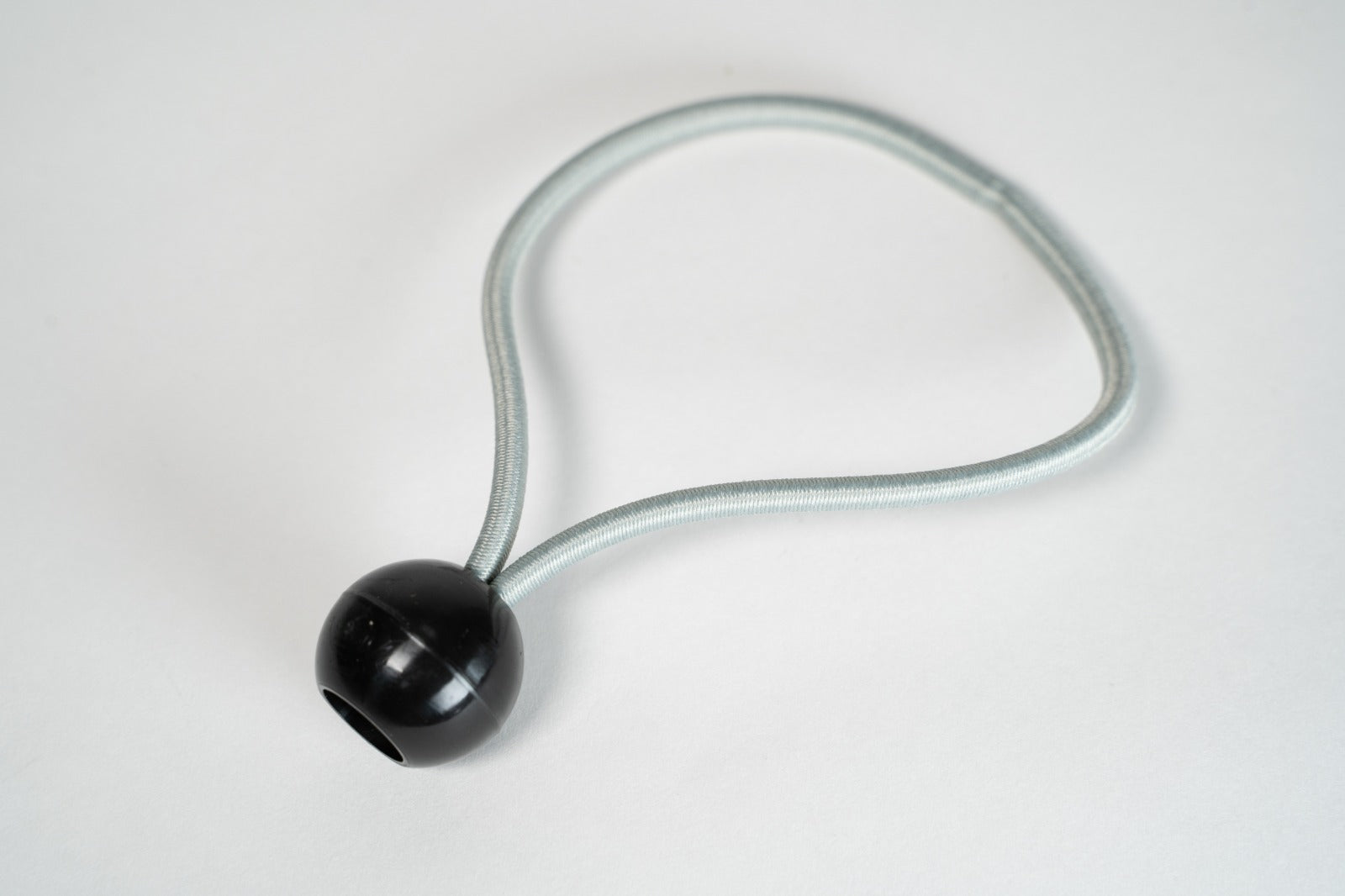
Just Installed this new Pro+ screen at my commercial golf simulator. The difference between the old one and this new one is astounding. Not only is it much quieter but the image projection is so much more clearer. It is installed quite tightly using the Bungee balls but there is no significant bounce back.I unequivocally recommend the Pro + impact screen.

Adam S.

The golf team enjoys practicing with the Puttout training mat. More practice means better putting on the course. The quality of the product is excellent.

Boliver

SHOP OUR BEST-SELLERS