Golfbays

GOLF BAYS BLOGS

Product deep-dives, enclosure & simulator advice, and much more…

SHOWING 1 TO 9 OF 82 RECORDS

The Best Launch Monitor for Golf Coaches: Which Setup Actually Fits How You Work?

July 30, 2026

By Malek Murison

The Best Launch Monitor for Golf Coaches: Which Setup Actually Fits How You Work?

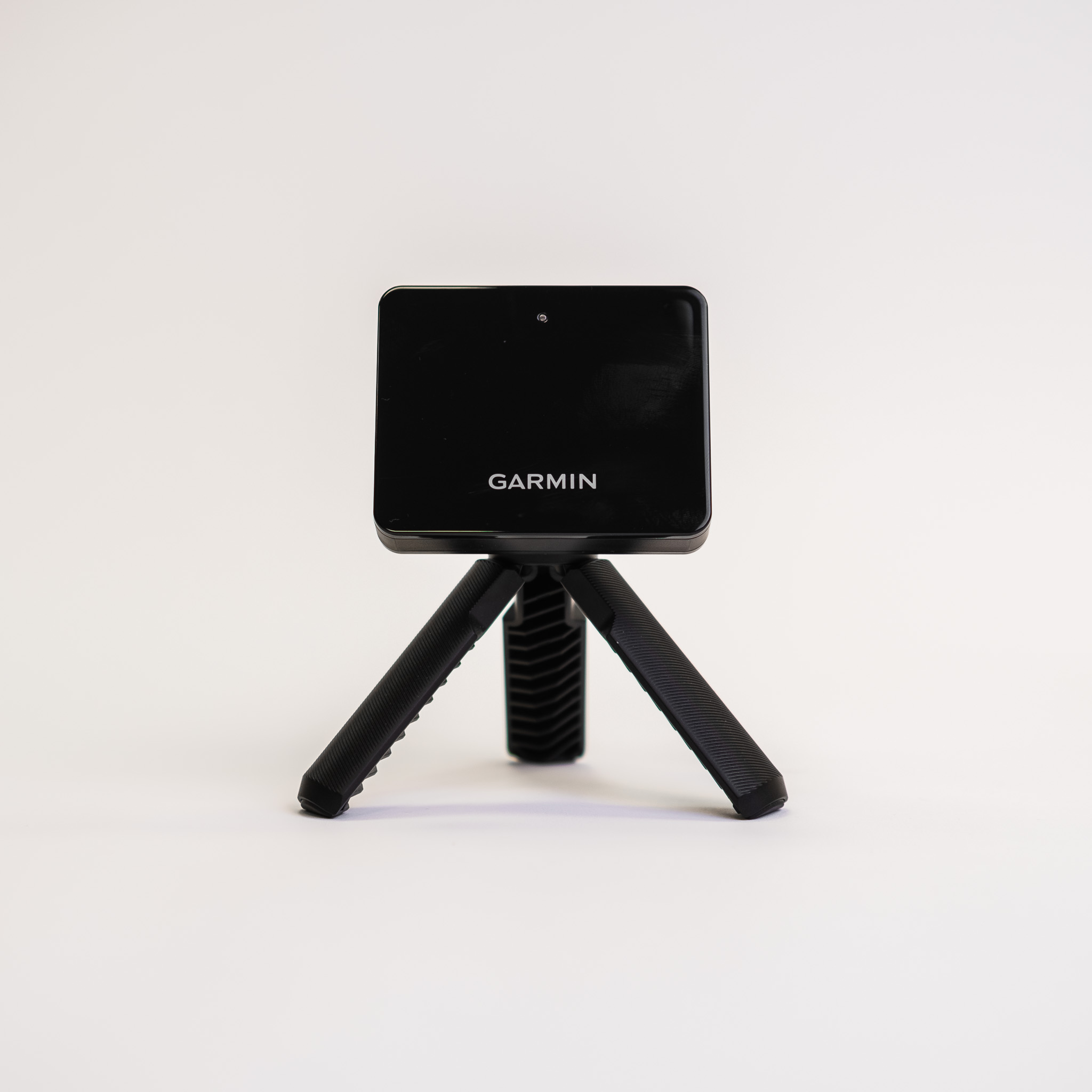
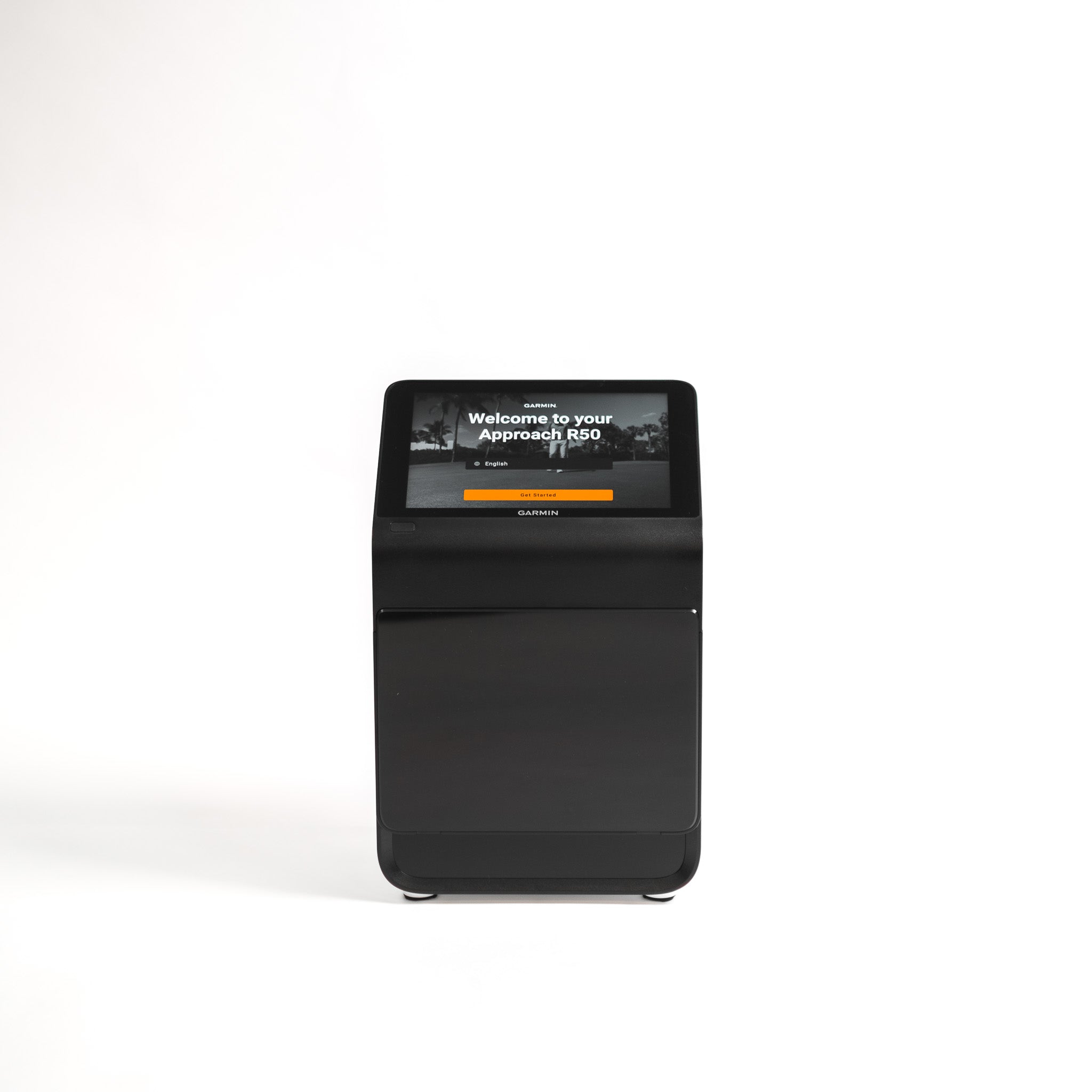
Choosing the best launch monitor for golf coaching isn’t the same thing as choosing the best launch monitor for a home simulator. A home golfer might want distance numbers and virtual rounds. A golf coach needs something different: Trustworthy data, a fast setup, clear feedback for students, software that supports your teaching style, and - importantly - enough durability to survive daily use by people who definitely don’t all strike it like Scottie Scheffler.  It would be a mistake to think there’s one best launch monitor for every golf coach out there. We hate to break it to you, but there isn’t. That’s because the best launch monitor for a PGA coach working from an outdoor range is not necessarily what’s best for an indoor coaching studio. Likewise, a club fitter has different priorities to a mobile coach running lessons across multiple venues, who in turn needs something different compared to a commercial simulator business running back-to-back bookings all day. So instead of giving you a simple list of expensive orange boxes and shiny overhead systems, in this guide we try to break things down by coaching context. We’ll look at the launch monitors that make sense for serious coaching, the workflows they support, and the devices we would be careful about recommending as purely professional tools. Let’s get into it. Quick Answer: Best Launch Monitors for Golf Coaches by Coaching Context Coaching context Best launch monitor options Elite coaching and outdoor range work TrackMan 4, FlightScope X3 or X3C Club fitting and high-end technical coaching Foresight GCQuad, Foresight QuadMAX, TrackMan 4 Fixed indoor coaching studio TrackMan iO, Uneekor EYE XO2, Uneekor EYE XR, Foresight Falcon, Foresight GCHawk Indoor simulator coaching bay Uneekor EYE XO2, ProTee VX, Foresight Falcon, TrackMan iO Independent PGA coach Foresight GC3, FlightScope Mevo+ or Mevo Gen2 with Pro Package, Full Swing KIT Mobile coaching and range lessons FlightScope X3 or X3C, FlightScope Mevo+ or Mevo Gen2, Full Swing KIT, Foresight GC3 Video-led coaching Full Swing KIT, Uneekor EYE XO2 with Swing Optix, FlightScope with video tools Budget-conscious coaching tool FlightScope Mevo+ or Mevo Gen2 with Pro Package Worth considering, but not yet a standard coaching choice Garmin Approach R50 Better suited to golfers and practice than professional coaching Garmin R10, Rapsodo MLM2PRO, Square Golf, Shot Scope LM1 What Should a Golf Coach Look for in a Launch Monitor? Before comparing models, let’s get clear on what actually matters. For golf coaches, a launch monitor is not just a device for measuring distance. It can add huge value to what you’re doing by influencing how quickly you can diagnose the problem, how clearly you can explain it, and how convincingly you can show progress over time. Because of those three elements, we think the buying criteria are a little different from your usual home simulator checklist. Trustworthy Data If a student makes a swing change and the numbers move, you need to know that movement is real. Inaccurate data is worse than no data at all, because it sends the lesson in the wrong direction and can reinforce unhelpful technical habits.  For coaching, the core numbers need to be repeatable and credible. Ball speed, launch angle, spin rate, carry distance and launch direction matter. But serious instruction often depends on club delivery data as well: club path, face angle, face to path, angle of attack, dynamic loft, low point and strike location. Club Data Ball data tells you what happened. Club data helps explain why. A player who keeps missing right might need to understand path, face angle, strike, dynamic loft or angle of attack. Without club data, you can still coach, but you are working with a thinner picture. For serious coaching and fitting, club data is not a luxury. It can be the difference between describing symptoms and diagnosing causes. Strike Location Impact location is one of the most useful pieces of feedback in a lesson. A toe strike, heel strike, high-face strike or low-face strike can explain ball speed, spin, curvature and launch far more quickly than a long lecture or demonstration.  For coaches and fitters, strike location is especially valuable because it connects the student’s feel with the actual contact point. Golfers are notoriously unreliable narrators of their own swing, so go for a launch monitor that gives you the truth.  Video Integration Sure, data is powerful, but coaching is rarely just about numbers. A good coaching workflow links what the club and ball are doing with what the player is doing - and that’s where video comes in. Face-on and down-the-line views can help connect movement patterns to the moment of impact, while slow-motion replay can make a technical change easier to understand. This is why coaching software matters as much as the launch monitor itself. Video and replay capabilities also give coaches the chance to improve the insights they can offer to students, and add extra value to sessions.  Reports and Student History If you run structured coaching programmes, reports and student profiles are a big part of the equation. A one-off lesson can survive with a few screenshots and a conversation, but long-term coaching needs better continuity. Ideally you want tools that can help you track progress, revisit baseline data in the future, compare sessions, and give students something useful to take away. For coaches selling programmes rather than isolated lessons, reporting should be part of the product. Which Launch Monitors Have the Best Coaching Reports? If you coach players over several sessions, reporting gives you a record of where the player started, what changed, and whether the work you are doing is actually moving the right numbers. But not every launch monitor handles this in the same way. Let's take a look.  TrackMan arguably has one of the strongest all-round coaching ecosystems. Its software brings together shot analysis, testing, video, performance data and player history, making it ideal for academies and coaches running structured development programmes. Foresight is particularly strong for technical coaching and fitting reports. FSX Pro lets coaches review sessions, compare shots and share detailed ball and club data. That works well when the lesson is built around measurable changes to delivery, strike or equipment. A fitter comparing heads, shafts or setup changes can leave the player with something much more useful than a vague memory of which combination felt best. Uneekor is a strong option for indoor coaches who want data and video in the same workflow. VIEW supports player profiles, Power U reports, impact replay and swing video, with higher software tiers allowing coaches to manage more student profiles. Pairing an EYE XO2 or EYE XR with Swing Optix? You can connect your player's movement, impact and resulting ball flight in one place. The important point is that the best reporting system depends on what happens after the student leaves the bay. If you coach programmes rather than isolated lessons, choose a platform that makes progress easy to record, revisit and explain. That adds value to the student experience, and isn't just another folder of migraine-inducing numbers.  Left and Right-handed Use This is a massive issue for indoor coaching. A floor-standing camera-based launch monitor can be excellent, but if it needs repositioning every time a left-handed golfer steps in, that slows the session down and creates friction. In a one-to-one lesson, that might be manageable, but in group coaching, club fitting, corporate sessions or simulator bays, it’s a little issue that can become a big annoyance.  Overhead systems and radar units tend to handle mixed-handed use more smoothly, because the device doesn’t usually need to be moved between shots. Setup Speed No coach should waste the first 10 minutes of every session levelling hardware, calibrating alignment and apologising to a student while the software sulks. If you coach outdoors, auto-levelling, alignment tools and reliable range setup matter. If you coach indoors, fixed installation can be worth the extra cost because it protects the flow of your sessions. The best launch monitor is not always the one with the biggest spec sheet. It may be the one that lets you teach without the technology getting in the way. The Best Launch Monitor for Elite Golf Coaching: The TrackMan 4 TrackMan 4 remains the benchmark for elite golf coaching, especially outdoors. It combines radar and camera technology, measures a comprehensive set of club, ball, and putting parameters, and is widely used across tour, academy, fitting, and high-performance environments. For a coach working on an outdoor range, TrackMan 4’s strength is full-flight tracking. That matters because outdoor ball flight gives you the whole picture from impact to landing. If you are coaching trajectory, wind performance, distance control, curvature, wedge shots or driver optimisation, full-flight radar is a serious advantage. Why TrackMan 4 Works for Coaches TrackMan 4 is not just useful because it measures a lot of things. It works because the data ecosystem is mature. When we say mature, we mean:  Clear ball and club delivery data Putting and short-game functionality Outdoor and indoor use Strong testing modes A recognised brand that students trust A software environment built around performance improvement A good fit for academies, performance centres and fitting studios TrackMan also has strong perceived authority. Realistically, this matters commercially. If you are running a premium academy or performance coaching business, students often already understand what TrackMan is. That reputation can support your bookings and lesson experience before the first ball is hit. Reasons to Think Twice Let’s start with the obvious one: TrackMan 4 is expensive, and it is not always the cleanest answer for a compact indoor coaching bay. Indoor radar setups need enough ball flight and enough depth behind the ball. In a purpose-built studio, that may be fine. In a tighter space, an overhead or camera-based unit may be easier to live with. The GolfBays Verdict TrackMan 4 is the best choice for elite outdoor coaching, performance academies and coaches who want one of the strongest all-round data ecosystems in golf. It may be overkill for many independent coaches, but there’s a reason it’s become the standard-bearer for professional coaching. The Best Launch Monitor for Club Fitting: Foresight GCQuad For club fitting and technical coaching, the Foresight GCQuad is at the top of our suggestions list.  The big strength here is camera-based impact measurement. Foresight’s high-end portable units sit close to the ball and capture impact conditions in detail. For club fitting, that is exactly where the useful information lives. TrackMan is still very strong for fitting, particularly outdoors, but Foresight has become a serious standard for indoor fitting and strike-based analysis. Why it works for coaches and fitters The GCQuad makes sense when a coach or fitter needs detailed feedback on impact and club delivery. They are particularly useful for: Strike location Club path Face angle Angle of attack Loft and lie information Ball launch and spin Fitting sessions Indoor lessons Outdoor lessons where portability matters For fitting, the ability to connect club delivery, ball flight and impact location is vital. For example, a player might think they need a different shaft, but the data could show they are striking it low on the face with too much dynamic loft.  Reasons to Think Twice Portable Foresight units are side-mounted, so left and right-handed switching will be a reality. If you regularly coach groups or run a simulator bay with both right and left-handed players, an overhead unit would be a smoother choice. The GCQuad is also a serious investment. This makes sense when the launch monitor is central to your revenue: for example fittings, premium coaching, structured programmes or high-end simulator services. To unlock the GCQuad’s full club-delivery and impact-location capabilities, you need the relevant Club Feature licence and clubface markers - so factor in this additional cost when making your final decision.  The GolfBays Verdict The GCQuad is among the best launch monitors for club fitting and serious technical coaching. If your lessons depend on strike, face, path and delivery data, this is an ideal professional tool. Best Radar Alternative for Outdoor Coaches: FlightScope X3 The FlightScope X3 is a strong option for coaches who want advanced radar-based tracking without going down the TrackMan route. Why it works for coaches FlightScope X3 is particularly strong for: Outdoor range coaching Mobile coaching Full-flight ball tracking D-plane analysis Wedge and trajectory work Club and ball data Video with data overlay Coaches who want a high-end radar system with strong portability FlightScope also has useful optimiser tools, which can help coaches and fitters show how launch, spin, descent angle and environmental conditions affect performance. Reasons to Think Twice Like any radar system, FlightScope needs enough space to work well, especially indoors. If you are building a compact indoor coaching studio, an overhead or camera-based system may be more straightforward. The software ecosystem is strong, but TrackMan still has the wider brand recognition among many students and premium coaching environments. That may matter less to a technically confident coach and more to a venue trying to sell premium lesson packages. The GolfBays Verdict FlightScope X3 is an excellent choice for outdoor coaches, mobile performance coaches and data-led instructors who want serious radar tracking. For the right coach, they are not a compromise option. They are a proper professional route. The Best Launch Monitors for a Fixed Indoor Coaching Studio: TrackMan iO, Uneekor EYE XO2 or Foresight Falcon Indoor coaching has different rules. Once you move inside, the launch monitor needs to support speed, flow and repeatability. That’s because a fixed indoor studio is not just about getting accurate data. It’s about building a coaching environment that works every day. Long story short, this is where ceiling-mounted launch monitors become appealing. Why overhead launch monitors work indoors Overhead systems keep the hitting area clear, reduce trip hazards and make switching between players easier. They are especially useful when you coach both right and left-handed golfers - which is an inevitable challenge.  If you’re a coach working in a fixed studio, the last thing you want is to move hardware around the mat every time the next player steps in. You want the student to hit, the data to appear, the video to replay and the lesson to keep moving. TrackMan iO TrackMan iO is designed specifically for indoor use. It gives coaches access to the TrackMan ecosystem in a ceiling-mounted format, using radar and camera technology from an overhead position. For indoor coaches who want the TrackMan brand, software and data environment without placing a unit behind the golfer, the iO is a serious option. It’s best suited to: Premium indoor coaching studios Commercial simulator bays Coaches who want TrackMan indoors Facilities where left and right-handed switching matters Data-led lessons in a fixed environment The caveat is the cost. TrackMan iO is still a premium system. You’ll need to check which package includes the club data and features you actually need, as different software tiers are available. TrackMan iO’s Home package includes only club speed, while Home Complete and Commercial include broader club data. Uneekor EYE XO2 The Uneekor EYE XO2 is one of the strongest indoor coaching options for coaches who want data, video and a clean fixed setup. It’s a front-mounted overhead launch monitor with three high-speed cameras, a large hitting zone, ball and club data, real-time swing visuals and impact replay. It can also be paired with Swing Optix cameras, giving coaches face-on and down-the-line video alongside the numbers. That combination is genuinely useful for coaching. A student can see the swing, the impact, the strike feedback and the resulting ball flight in one environment. Uneekor’s reporting and profile structure also matters for coaching businesses. If you are working with students over the long term, student profiles and reports can support better follow-up and add an extra dimension to your offering.  The EYE XO2 is best suited to: Indoor coaching studios Coaches who use video heavily Simulator-based lessons Left and right-handed player use Structured student programmes Premium home studios used for coaching The main caveat is that full club tracking requires reflective club stickers. That is not a deal-breaker, but in a coaching environment you need to build it into your session process. The Foresight Falcon and GCHawk The Foresight Falcon and GCHawk are premium overhead systems for coaches and commercial environments that want Foresight’s camera-based data in a fixed bay. They make sense when the studio needs: A clear hitting area Left and right-handed play Commercial durability Strong indoor data A premium simulator and coaching environment Reduced need to reposition hardware Falcon is the newer, more compact overhead option, while GCHawk remains a high-end ceiling-mounted system with a large hitting zone. These are not casual purchases by any stretch, but they make sense in a studio where the launch monitor is earning its keep every day. The GolfBays Verdict For fixed indoor coaching, the best options are usually overhead. TrackMan iO is the premium choice for coaches who want the TrackMan ecosystem indoors. Uneekor’s EYE XO2 is one of the strongest options because it combines overhead tracking with video and reporting. The Foresight Falcon and GCHawk are serious commercial-grade choices for premium studios and fitting environments. The Best Value Indoor Options: The ProTee VX The ProTee VX deserves to be in the conversation for indoor coaching bays, especially where the setup is partly lesson space and partly simulator space. It’s another overhead launch monitor, which means it keeps the floor clear and works well for left and right-handed players. Why We Like It ProTee VX is strongest when you care about: A fixed indoor simulator bay Left and right-handed use Fast session flow A clean hitting area Simulator play alongside coaching No need for marked balls or club stickers Lower ongoing software friction compared with some premium ecosystems Reasons to Think Twice The ProTee VX isn’t the obvious first choice for a coach whose business depends on advanced reporting, club fitting workflows or a deeply established coaching software ecosystem. But it is a strong indoor simulator and coaching bay option - just don’t expect a high-performance coaching analysis platform to rival some of the names above.  The GolfBays Verdict The ProTee VX is a strong choice for indoor coaches on a budget who want an overhead system, clean left/right-handed use and a simulator-friendly setup. The Best Mobile Coaching Option: Full Swing KIT Full Swing KIT is a credible option for coaches who want to integrate video into their sessions. Its built-in camera and app workflow make it especially useful for mobile coaching, range lessons and coaches who want to connect swing footage with launch data. The Onform integration also makes it more relevant for coaching than a simple data-only device, because it brings launch monitor numbers into a video coaching workflow. Why it works for coaches Full Swing KIT is a good fit for: Video-led coaches Mobile coaching Range lessons Remote follow-up Swing analysis linked to launch data Coaches who want a portable unit with built-in video For many coaches, the most powerful lesson moment is showing the movement pattern that produced whatever data point you’re looking at. Full Swing KIT leans naturally into that. Reasons to Think Twice Full Swing KIT is not the strongest choice for club fitting, strike location or high-end indoor studio work. It doesn’t sit in the same category as TrackMan 4, GCQuad or FlightScope X3 for deep professional analysis. But for a coach who teaches through video and wants a portable, simple workflow, it offers plenty.  The GolfBays Verdict Full Swing KIT is great for video-led coaches who want launch monitor data to support movement analysis. It wouldn’t be our first pick for high-end fitting, but it’s much more relevant to coaching than many consumer launch monitors. FAQs: Launch Monitors for Golf Coaches What launch monitor do most golf coaches use? At the serious end of golf coaching, the most established names are TrackMan, Foresight Sports and FlightScope. You’ll see them in performance centres, fitting studios, academies and outdoor coaching environments because they offer strong data, trusted software and professional credibility. But that does not mean every coach needs the same setup. A coach working from an outdoor range has very different needs from someone running lessons in a fixed indoor studio. Indoors, overhead systems such as Uneekor and ProTee can make more sense because they keep the hitting area clear, support left and right-handed players more smoothly, and help sessions flow without moving hardware around the mat. The real question is not what most coaches use. It is what fits the way you actually teach. Is TrackMan the best launch monitor for golf coaches? TrackMan is one of the benchmark systems in elite golf coaching, especially for outdoor range work where full ball flight tracking is a major advantage. It has the tour presence, the brand recognition and the depth of data that many serious coaches want. But best is doing a lot of work there. TrackMan is not automatically the best choice for every coaching business. If you are building a compact indoor coaching studio, an overhead system may give you a cleaner setup, easier left and right-handed use, and less day-to-day faff. If you are an independent coach working to a tighter budget, you may be better served by a strong value setup that gives you the core data you need without turning your business plan into a horror story. TrackMan is excellent. It is not always the most sensible answer. Is GCQuad good for golf coaching? Yes. Foresight GCQuad is one of the strongest portable launch monitors for coaching, fitting and detailed impact analysis. It is particularly useful when you care about strike location, face delivery, club path, launch, spin and fitting decisions. The main thing to understand is that GCQuad is a premium tool for premium workflows. It makes most sense if the launch monitor is central to how you earn money: club fitting, technical lessons, structured coaching programmes or high-end studio sessions. The trade-off is left and right-handed use. Because GCQuad is a side-mounted unit, you may need to move it when switching between right and left-handed golfers. That is manageable in one-to-one coaching, but it can become irritating in group sessions, fittings or simulator environments where speed matters. Is FlightScope Mevo+ good enough for golf coaching? Yes, in the right setting. FlightScope Mevo+ becomes much more relevant for coaching when paired with the Pro Package, because that gives coaches access to more useful club delivery data, including metrics such as club path, face to path, face to target, dynamic loft and low point.  It is not the same kind of tool as a top-end radar system or a premium fitting-focused camera unit. But for independent PGA coaches, mobile coaches and coaches who want strong value without jumping straight into the most expensive tier, it can be a very sensible option. The caveat is that Mevo+ is still a radar unit, so setup space matters. It is best suited to coaches who have enough room behind the ball and enough flight distance to get reliable results. If you are working in a tight indoor studio, a fixed overhead system may be easier to live with. Should golf coaches use radar or camera-based launch monitors? It depends where and how you coach. Radar systems are particularly strong outdoors because they can track more of the ball flight. That makes them useful for driver work, trajectory control, wedge gapping, shot shape, distance control and coaching in real-world conditions. Camera-based launch monitors are often stronger indoors because they capture what happens around impact without needing as much ball flight. That can be ideal for indoor studios, fitting bays and simulator-based coaching. Overhead camera systems add another practical advantage: they stay out of the way. That matters more than people think. If you coach left and right-handed golfers, run group sessions or want a clean simulator bay, not having to move a launch monitor between shots is a big win. What is the best launch monitor for indoor golf coaching? For fixed indoor coaching, overhead launch monitors are usually the cleanest option. Systems such as Uneekor EYE XO2 and ProTee VX work well because they keep the hitting area clear, support smoother left and right-handed use, and create a more professional coaching environment. That does not mean every indoor coach needs the same system. If your lessons are heavily data-led, prioritise club data, impact feedback, video integration and student reporting. If your bay is used for simulator hire as well as coaching, prioritise reliability, ease of use and quick session turnover. If your coaching is more movement-led, video integration may matter as much as the launch numbers. A good indoor coaching setup should not slow the lesson down. If the tech keeps interrupting the flow, it is not helping. Is Garmin R10 good enough for a golf coach? Garmin R10 is not what we would recommend as a primary professional coaching tool. It can be useful for golfers, practice sessions and basic feedback, but most coaches need stronger data, better reporting, more robust workflows and more confidence in the numbers. That does not make the R10 a bad product. It just means it sits in a different category. For personal practice, casual simulator use or a golfer wanting entry-level feedback, it has a place. For a coach charging for lessons and making technical decisions from the data, we would look higher up the range. Is Garmin R50 good for golf coaches? Garmin R50 is a much more serious option than Garmin R10. The built-in screen, impact video and wider set of ball and club metrics make it more relevant for coaches, especially those who want a portable setup that does not rely as heavily on extra devices. But we would still treat it as an emerging serious-user option rather than a proven coaching standard. It has plenty to like, especially for portable practice and premium home simulator use, but it is not yet as established in professional coaching workflows as the bigger coaching and fitting ecosystems. For a coach, the question is whether the convenience of the R50 outweighs the depth, reporting and workflow maturity of more established coaching systems. What is the most important launch monitor data for golf coaches? The most useful data depends on what you are coaching. For general lessons, ball speed, launch angle, spin rate, carry distance and launch direction give you the basic picture. For technical coaching, club path, face angle, face to path, angle of attack, dynamic loft and low point become much more important. For fitting and strike work, impact location can be one of the most valuable pieces of information on the screen. But coaches should not drown students in numbers. Nobody improves because they have been shown sixteen metrics and mildly traumatised by a spreadsheet. The skill is knowing which two or three numbers actually matter for that golfer, in that lesson, on that day. Do golf coaches need launch monitor reports? If you sell structured coaching programmes, reports are extremely useful. They help you track progress, revisit baseline numbers, show improvement over time and give students something valuable to take away after the session. For a one-off lesson, a full report may not always be necessary. A clear explanation and a few key numbers might be enough. But for long-term coaching, club fitting, performance programmes and repeat lesson packages, reporting can become part of the product. Good reports also help justify the value of coaching. They turn a lesson from something the student vaguely remembers into something they can review, understand and act on.
Do You Need a Gaming PC for a Golf Simulator?

July 27, 2026

By Malek Murison

Do You Need a Gaming PC for a Golf Simulator?

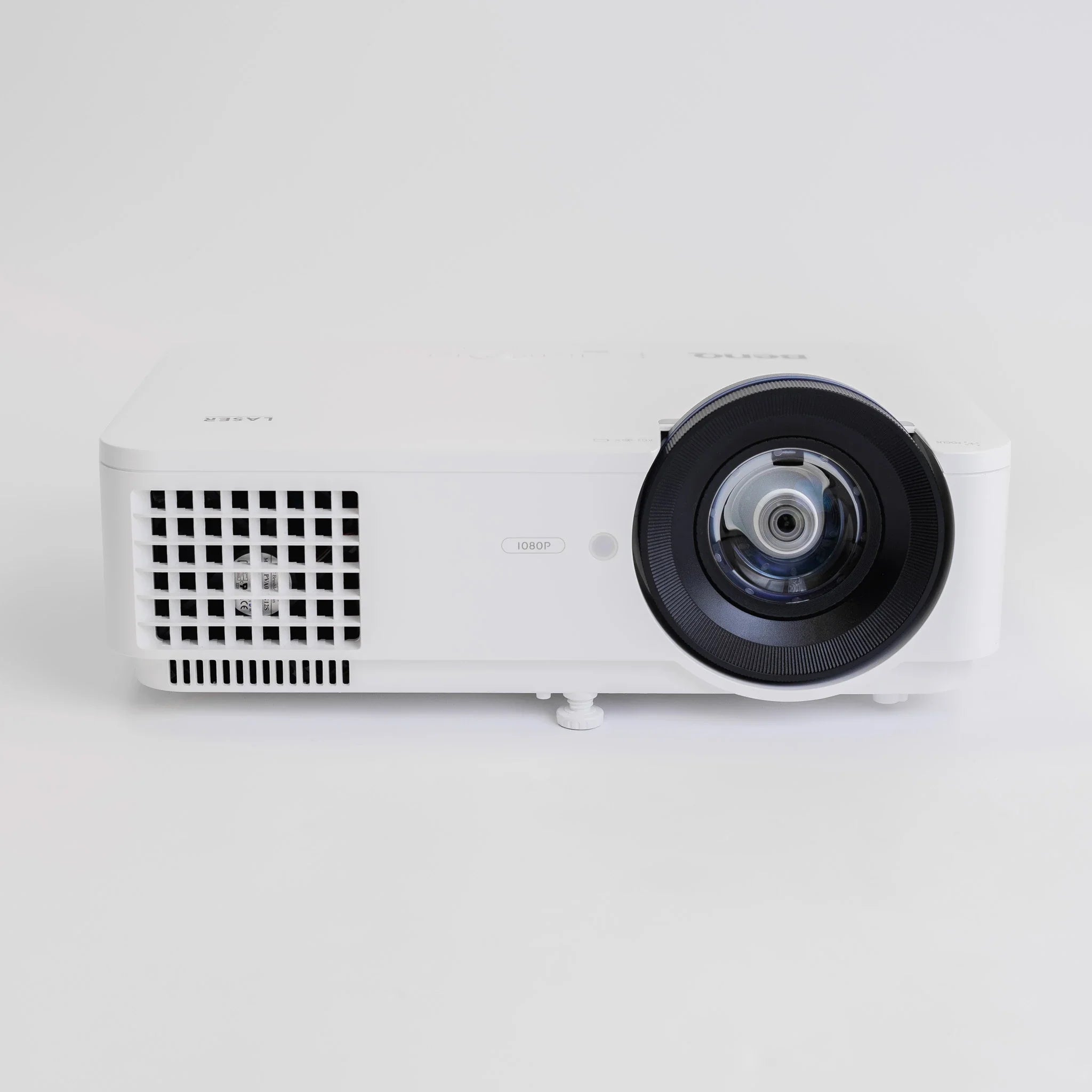
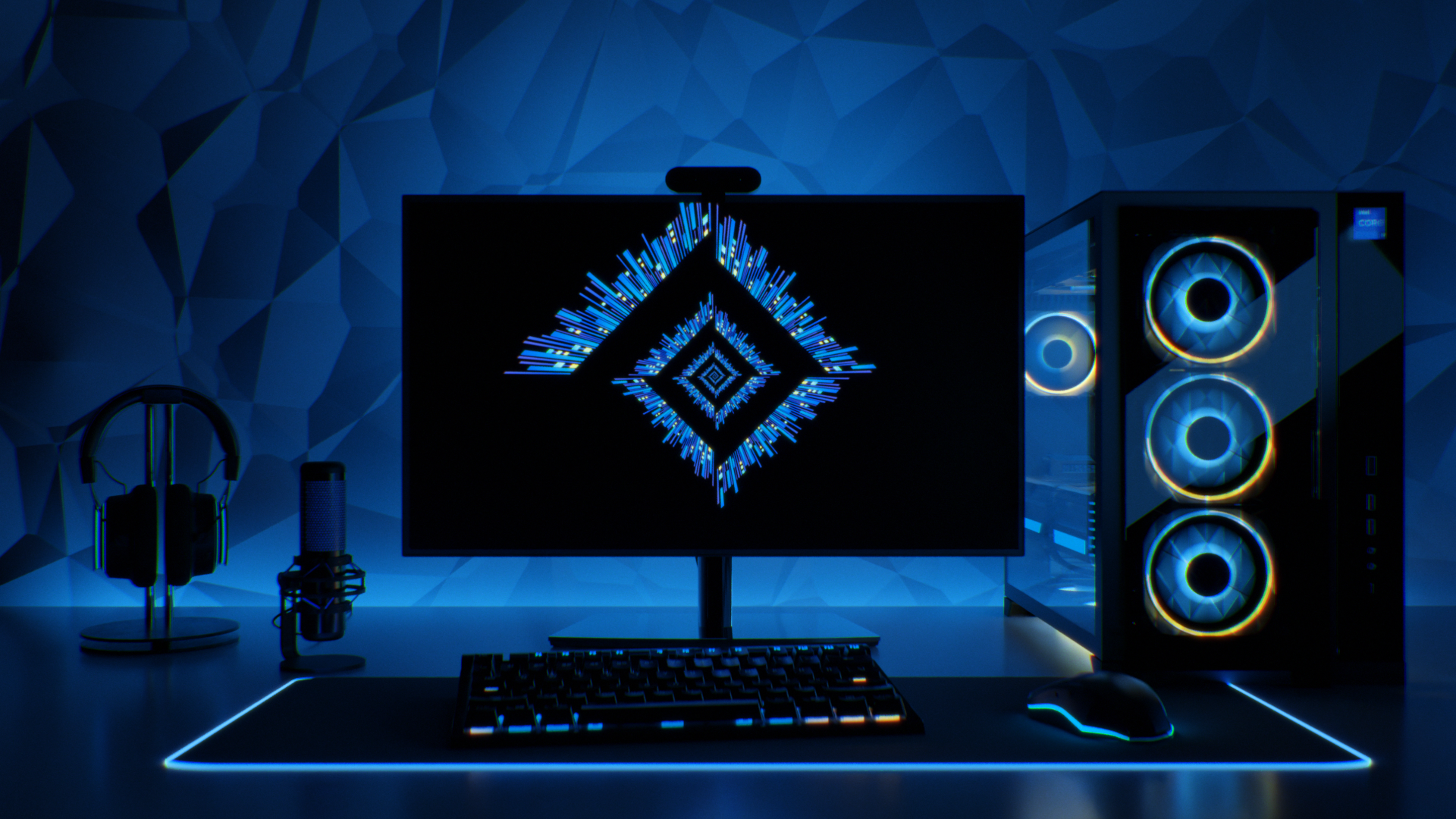
You’ve chosen the launch monitor. You’ve measured the room. You’ve started thinking about screens, mats, projectors and all of the other fun accessories that come with a home golf setup.  Then someone casually mentions that you might need a gaming PC. Brilliant. It’s another box, another series of cables, and another spec sheet full of numbers that look suspiciously like hieroglyphics.  Lucky for you, GolfBays is here to make this next step simple. Let’s answer the question in the title first up: No, you do not always need a gaming PC for a golf simulator. Some launch monitors and simulator apps can run from a phone, tablet, standard laptop or built-in display.  But if you want GSPro, FSX Play, premium 3D courses, 4K projection, smoother graphics or a serious permanent simulator room, then yes, a proper gaming PC quickly becomes part of the conversation. Check out our recommended Gaming PCs > The important question is not whether every golf simulator needs a gaming PC. It’s what kind of simulator you are building? Quick Answer: Do You Need a Gaming PC? Simulator setup Do you need a gaming PC? Why? Basic launch monitor practice Usually no Many launch monitors work with mobile apps or straightforward practice software. Phone or tablet-based setup No Ideal for range sessions, casual practice and simple data feedback. Awesome Golf Usually no It is designed to run on modest Windows devices and can work with integrated graphics. Garmin Approach R50 standalone use No It has a built-in display and can output to an external screen at up to 1080p. GSPro Yes GSPro requires a Windows PC and benefits from dedicated gaming hardware. FSX Play Yes FSX Play requires a Windows PC and a suitable dedicated Nvidia graphics card. 4K simulator setup Yes Running golf simulator software at 4K is considerably more demanding than standard 1080p. Commercial simulator room Usually yes Reliability, graphics quality and consistent performance matter when the system is used heavily. That is the short version. If you want basic practice, you may be able to avoid a gaming PC. If you want a full indoor golf simulator experience with realistic courses, a projector and software like GSPro, you should budget for one. Why Golf Simulators Need a PC in the First Place A launch monitor measures the shot. Simulator software turns that data into a playable golf experience. That might include: Ball flight Course graphics Shot tracer Club and ball data Online play Practice ranges Skills challenges Course conditions Putting Multiplayer rounds Swing video Performance reports The more realistic and graphically rich the software is, the harder your computer has to work. A basic practice app might only need to show carry distance, ball speed and a simple shot shape. A premium simulator package has to render fairways, trees, bunkers, water, shadows, ball physics and camera movement in real time. Ideally without freezing halfway through your once-a-year straight drive. That is where the gaming PC comes in. A gaming PC is not needed because golf is secretly a computer game. It’s needed because modern simulator software uses 3D graphics in the same way gaming software does. The graphics card, or GPU, does a lot of the heavy lifting. When You Definitely Need a Gaming PC You should plan for a gaming PC if you want to run one of the more demanding simulator setups. You Want to Use GSPro GSPro is one of the most popular simulator software options for serious home golf simulator users, and it needs a Windows PC. For 1080p play, GSPro requires a dedicated graphics card and 16GB memory. For a strong 4K experience, the requirements increase to an RTX 3080 or better graphics card and 32GB memory. In plain English: GSPro is not something you should expect to run properly from an old work laptop that already sounds like a helicopter taking off when you open too many browser tabs. If GSPro is part of your dream simulator setup, the PC is not an afterthought. It’s an essential part of the build. You Want FSX Play FSX Play is another example of premium simulator software that expects proper PC hardware. It requires a Windows-based PC and Nvidia RTX graphics. That matters because FSX Play is built around improved graphics and a more immersive simulator experience. The better the visuals, the more the computer has to do. If you are using software like this, the graphics card is your engine room, not a luxury upgrade.  You Want 4K Graphics We know, we know. 4K sounds great and it looks awesome too. It also asks a lot more of your computer. A 1080p image has far fewer pixels to render than a 4K image. That means a simulator setup that runs happily at 1080p can start struggling when you ask it to push everything through a 4K projector or large display. If you want crisp 4K visuals on a big impact screen, don’t try to build the system around a bargain PC.  You Are Building a Permanent Simulator Room If your golf simulator is going into a permanent room, the PC matters more. That’s because a temporary practice setup can tolerate a bit of inconvenience. But ideally you want a permanent simulator room to feel polished every time you use it. You want to walk in, switch everything on, hit balls and play. Not a weekly ritual of updates, crashes, and stuttering graphics. A better PC will not fix every possible setup issue, but it will give your simulator a much stronger foundation. You Are Using the Simulator Commercially If you are building a simulator for coaching, fittings, club use, hospitality or paid bookings, do not cut corners on the computer. Commercial users need reliability. If a home setup crashes, it is annoying. If a commercial simulator crashes during a lesson, fitting or booking, it looks amateur and will cost you money.  For a commercial environment, the PC should be comfortably above minimum spec. Commercial setups should not be built around getting by. When You Might Not Need a Gaming PC A gaming PC is not compulsory for every simulator. You may not need one if your setup is more practice-led, mobile or casual. You Only Want Launch Monitor Data If your main goal is to see numbers like carry distance, ball speed, club speed, launch angle and spin, you may not need a gaming PC at all. Many launch monitors come with their own app or can connect to a phone or tablet. For practice, gapping sessions and simple feedback, that can be plenty. Not every golfer needs a full virtual course running in front of them. Sometimes you just want to know whether your 7 iron is actually going 150 yards or whether that number has always just been wishful thinking.   You Are Using a Mobile-First Launch Monitor Some launch monitors are designed around mobile use. They work naturally with smartphones or tablets and are built for portability rather than permanent simulator rooms. That makes sense for golfers who want to practise at the range, hit into a net, work on distances or use lighter software. But there is a catch. The launch monitor might be mobile-first, but the simulator software might not be. If you connect that same launch monitor to GSPro, the PC requirements come from GSPro, not from the launch monitor. This is one of the biggest areas where buyers get caught out. You Are Using Awesome Golf Awesome Golf is much lighter than many premium simulator software packages. It can run on Windows 10 or later, with modest processor, memory, storage and graphics requirements. That makes it a strong option for golfers who want fun, accessible simulator play without building the whole room around a high-end PC. It is not trying to be the same thing as a demanding 4K simulator environment. And that is fine. Not every setup needs to look like a broadcast from Augusta. You Are Using Garmin Approach R50 as a Standalone Simulator The Garmin Approach R50 changes the conversation because it has its own built-in display and can connect directly to an external display using HDMI. Garmin states that the output resolution is 1080p. That makes it an interesting option for golfers who want to reduce PC faff. However, this does not mean the R50 removes every possible need for a PC in every setup. If you want to use third-party PC simulator software, the requirements will depend on that software. But for golfers who want a cleaner, more self-contained simulator route, R50 is a serious option. A Gaming PC vs Normal Laptop This is where the confusion usually starts. A normal laptop can be excellent for work, emails, streaming, spreadsheets and browsing. That does not mean it’s built for golf simulator software. The difference is usually the graphics card. A lot of standard laptops rely on integrated graphics. That means the graphics processing is built into the main computer chip. Fine for normal everyday use, less fine when you ask it to render a full 3D golf course while processing launch monitor data and outputting to a projector. A gaming PC or gaming laptop usually has a dedicated graphics card. For simulator software, that is the part that often matters most. Here is the simple version: Computer type Best for Watch out for Standard laptop Basic apps, admin tasks and light launch monitor use. Often underpowered for demanding golf simulator software. Gaming laptop Flexible simulator rooms, garages and portable setups. Usually costs more than a desktop offering similar performance. Gaming desktop Permanent simulator rooms, 4K setups and commercial use. Less portable and requires a dedicated place in the room. Tablet or iPad Mobile-first apps, range practice and simpler simulator use. Not suitable for software that requires a Windows PC. If your simulator software asks for a dedicated graphics card, your everyday laptop probably is not the answer. Desktop or Gaming Laptop: Which Is Better? For a fixed simulator room, a gaming desktop is usually the better long-term choice. You tend to get more performance for the money, better cooling, easier upgrades and a more stable setup. If the PC is going to sit in the simulator room permanently, portability does not matter much. A gaming laptop makes sense if your setup is flexible. For example, if you use the garage as a simulator in winter and reclaim it for normal life when the weather improves, a laptop is easier to move around. The trade-off is value. Gaming laptops are convenient, but you often pay more for the same performance. They can also run hotter and louder than desktops. So the GolfBays view is simple: For a permanent simulator room, choose a desktop gaming PC.For a flexible or shared-use room, consider a gaming laptop.For basic practice apps, do not buy a gaming PC until you know you need one. What Specs Do You Actually Need? PC specs can get messy quickly, so let’s keep this practical. The right specification depends on your software, resolution and expectations. Use case Sensible target Basic launch monitor app A phone, tablet or standard laptop may be enough. Awesome Golf A modest Windows PC or laptop may be sufficient. GSPro at 1080p A dedicated RTX-class GPU and 16GB RAM. Strong 1080p simulator experience An RTX 3060 Ti or RTX 3070-class GPU and 16GB RAM. 4K simulator setup An RTX 3080 or better GPU and 32GB RAM. Uneekor with third-party software at 4K A higher-end Windows PC with strong RTX graphics, 32GB RAM and SSD storage. Commercial simulator Aim above the recommended specification rather than building around the minimum. Minimum requirements are not always where you want to be. They tell you what might run the software. They do not always tell you what will feel smooth, stable and enjoyable once you add a projector, launch monitor connection, swing cameras, online features and a room full of people waiting to hit. If the simulator is a proper investment, build in some headroom. The Graphics Card Matters More Than People Think If there is one PC component golf simulator buyers underestimate, it is the graphics card. RAM is easy to understand. Storage is easy to understand. Processor names are at least vaguely familiar. But the graphics card is often where performance lives or dies. For demanding simulator software, the GPU is responsible for rendering the course environment. That means fairways, trees, water, shadows, terrain, ball movement and camera transitions. A weak GPU can lead to: Stuttering graphics Slow loading Poor frame rates Lower visual quality Laggy course play A simulator that feels cheaper than the rest of the room That last point matters. You can have a beautiful enclosure, premium hitting mat and excellent launch monitor, but if the course graphics judder every time someone hits driver, the whole setup feels compromised. Nobody wants a simulator room that looks the part until the computer starts wheezing on the first tee. Do You Need a PC for the Launch Monitor or the Software? This is the key distinction. In many cases, the launch monitor itself does not demand a gaming PC. The software does. For example, a launch monitor may work perfectly well with its own app on a tablet. But the moment you want to use GSPro, FSX Play, E6 Connect or other third-party simulator software, the requirements change. So instead of asking whether a specific launch monitor needs a gaming PC, ask three better questions: What software do I want to run? What resolution do I want to play in? How permanent or serious is the simulator setup? That will usually give you the real answer. What About Projectors and 4K Screens? The display matters because it affects the PC workload. If you are playing on a laptop screen, the demands are lower. If you are outputting to a large projector or 4K display, the computer has to work harder. A projector does not automatically mean you need a monster PC. But if you are combining a projector with 4K resolution and demanding simulator software, you should not be shopping at the bottom end of the PC market. The more premium the visual setup, the more important the PC becomes. Think of the PC as the thing making the room feel premium. The projector shows the image, but the PC creates it. Check out our collection of high res projectors here >  Don’t Forget Connections PC performance is only part of the story. Simulator rooms also need sensible connections. Depending on your setup, you may need: HDMI from PC to projector or TV Ethernet connection for certain launch monitors Bluetooth for some devices Wi-Fi or wired internet for licences, updates and online play USB ports for cameras and accessories Enough cable management to stop the room turning into a health and safety incident with a hitting mat This is boring, but it matters. A simulator room with great hardware and poor cable planning is still annoying. Nothing ruins the premium feel faster than stepping over three leads to retrieve a wedge. Our Practical Recommendation If you are building a simple practice setup, start with the launch monitor and the app. You may not need a gaming PC at all. If you are building a proper home simulator with a screen, projector and third-party software, budget for a gaming PC from the beginning. If you are building a premium or commercial simulator room, do not aim for the minimum spec. Aim comfortably above it. Your goal Our recommendation Basic practice and numbers In many cases, you will not need a gaming PC. Fun simulator play with lighter software A modest PC may be enough. GSPro or FSX Play Buy a proper gaming PC with dedicated graphics. 4K simulator graphics Choose a high-performance gaming PC built for 4K. Permanent simulator room A desktop gaming PC is usually the best option. Garage or flexible room A gaming laptop can make sense if portability matters. Commercial use Invest above the minimum specification for reliability and consistent performance. The PC is not the most exciting part of a golf simulator. Nobody dreams about flushing a 6 iron and then admiring the tower case in the corner. But it is one of the parts that determines whether the whole setup feels smooth, reliable and worth the money. Final Verdict: Do You Need a Gaming PC for a Golf Simulator? You do not need a gaming PC for every golf simulator. If you are using a mobile app, a basic practice setup, a lighter simulator package or a standalone unit like Garmin Approach R50, you may be able to keep things simple. But if you want GSPro, FSX Play, 4K projection, demanding third-party software or a permanent simulator room, a gaming PC is not an optional luxury. It is part of the setup. A great golf simulator should feel effortless once you step onto the mat. Choose the right PC, and it disappears into the background. Choose the wrong one, and you will be thinking about graphics cards more than your golf swing. FAQs Do I need a gaming PC for GSPro? Yes. GSPro requires a Windows PC, and for a good experience you should be looking at a proper gaming PC or gaming laptop with a dedicated graphics card. For 1080p play, a solid gaming setup should do the job. For 4K, you need to move up another level, because the computer has to render far more detail across the course. If GSPro is central to your simulator build, treat the PC as part of the setup from the start rather than something to sort out later with whatever laptop happens to be lying around. Can I run a golf simulator on an iPad? Sometimes. Some launch monitors and simulator apps work well with an iPad, especially for practice, range sessions, basic shot data and lighter simulator software. But an iPad is not a direct replacement for a Windows gaming PC. If you want to run GSPro, FSX Play or demanding 4K simulator software, you’ll need a proper PC setup. The iPad route is great for simplicity and portability. It is not the route for a high-end simulator room with full 3D course play. Is a gaming laptop good enough for a golf simulator? Yes, provided the specification is strong enough. A gaming laptop with a dedicated Nvidia RTX graphics card can work very well, especially if your simulator is in a garage, shared room or space that needs to be packed away. For a permanent simulator room, a desktop gaming PC is usually the better long-term choice. You normally get more performance for the money, better cooling and easier upgrade options. A gaming laptop gives you flexibility. A desktop gives you a stronger fixed setup. Do I need a gaming PC for 4K golf simulator graphics? Usually, yes. 4K simulator graphics are much more demanding than 1080p, especially when you are projecting onto a large impact screen. If you want smooth 4K course play, do not build the system around the cheapest PC that technically meets the minimum requirements. That is how you end up with stuttering graphics, long loading times and a simulator room that looks premium until the ball starts flying. For 4K, budget for a strong gaming PC with a powerful graphics card and plenty of memory. What matters more for a golf simulator: CPU, RAM or graphics card? All three matter, but the graphics card is usually the big one for simulator software. The CPU helps the system process information. RAM helps everything run smoothly. But the graphics card is what handles the 3D course visuals, shadows, terrain, ball flight and projector output. If that is underpowered, the whole simulator can feel clunky. For basic launch monitor data, you may not need much graphics power. For GSPro, FSX Play, 4K projection or premium simulator software, prioritise a proper dedicated graphics card. Can I use my normal laptop for a golf simulator? Possibly, but only for lighter software or basic launch monitor apps. A normal laptop might be fine for checking numbers, using simple practice software or connecting to a mobile-first launch monitor. But if it does not have a dedicated graphics card, it is unlikely to be suitable for demanding simulator software. The mistake is assuming that because a laptop is fairly new, it must be simulator-ready. A laptop can be great for work and still completely wrong for running 3D golf software on a projector. Does the launch monitor determine whether I need a gaming PC? Not entirely. The software is usually the deciding factor. A launch monitor might work with its own app on a phone, tablet or basic computer. But once you connect it to software such as GSPro, FSX Play or another demanding simulator platform, the PC requirements come from the software. So the better question is not just which launch monitor are you buying? It is what software do you want to run, what resolution do you want, and how serious is the simulator setup? Is a desktop PC better than a gaming laptop for a golf simulator? For a permanent simulator room, usually yes. A desktop gaming PC normally gives you better value, stronger cooling and easier upgrades, which makes it ideal for fixed indoor simulator builds. A gaming laptop is better if you need flexibility. If the simulator is in a garage, shared room or temporary setup, being able to move the computer around is useful. Our view is simple: choose a desktop for a dedicated simulator room, choose a gaming laptop for a flexible setup, and avoid relying on a normal laptop unless you are only running lighter software. Is a newer RTX graphics card always better for a golf simulator? Not necessarily. Nvidia’s current RTX 50-series cards are newer than the RTX 30-series models still named in many golf simulator system requirements, but the generation is only part of the specification. The model tier matters too. Do not assume that an entry-level RTX 5050 or RTX 5060 is automatically a suitable replacement for an older RTX 3070 or RTX 3080 simply because it belongs to a newer generation. Compare the card’s actual performance, graphics memory and whether it is a desktop or laptop GPU against the requirements of your simulator software. Use cards such as the RTX 3060 Ti, RTX 3070 and RTX 3080 as performance baselines rather than shopping purely by model number. For a new simulator PC, aim for a current-generation card that comfortably matches or exceeds the recommended performance for your chosen software and resolution.
The Best Golf GPS Watches and Devices: How to Choose the Right Golf GPS

July 27, 2026

By Malek Murison

The Best Golf GPS Watches and Devices: How to Choose the Right Golf GPS

Golf GPS tech has come a long way in a few short years. The best golf GPS watches and devices now help you understand the hole before you tee off, avoid hazards you might not be able to see from where you are standing, and choose smarter targets before you swing. But not all devices have the same features, and not all features are definitely going to be useful for you and your game. For one golfer, the perfect GPS is a lightweight watch that delivers front, middle and back distances in an instant. For another, it's a full-color course map showing the carry over every bunker and the depth of each green. In this guide, we’re going to demystify the options and help you choose the best golf GPS watch or device for your game.  Already know what you are looking for? Explore our range of golf GPS watches and trackers here.  What Is a Golf GPS? A golf GPS uses satellite positioning and course data to calculate where you are on the golf course and provide distances to useful points around the hole. More advanced golf GPS devices may also provide: Distances to bunkers, water and other hazards Carry and lay-up yardages Full-hole maps Green shapes Pin positioning Touch targeting Shot measurement Digital scoring Strokes-gained analysis Elevation-adjusted distances Club recommendations The important word there is may! Not every GPS does everything, and, if we're being honest, not every golfer needs it to. That means the best golf GPS is not automatically the device with the longest list of features. It’s the one that gives you useful information quickly enough to influence the shot you are about to hit. Which Golf GPS Is Best for You? A Quick Guide Before we disappear down a rabbit hole of specifications, let’s start with how you actually play. Choose a straightforward golf GPS watch if... You mainly want quick distances to greens and hazards without reaching for your phone or pulling another device out of the bag. This is the simplest route into golf GPS and will be enough for plenty of golfers. Choose a high-spec GPS watch if... You want to see more of the hole from your wrist, including hazards, green shapes and potential landing areas. This is particularly useful if you regularly play unfamiliar courses or want to think more carefully about shot and club selection. Choose a premium golf smartwatch if... You want advanced golf features but also expect to wear the watch away from the course. This is where Garmin's broader approach becomes particularly relevant, with models designed to combine golf functionality with everyday smartwatch and activity features. Choose a handheld golf GPS if... You want a larger screen and more room to study the hole. Handheld devices can be excellent for golfers who prioritise detailed visual mapping or simply do not like swinging with a watch on their wrist. You can compare the latest golf GPS watches and handheld devices right here. Golf GPS Watch vs Handheld GPS: Which Is Better? For most golfers, this is the logical place to start. Both formats can provide excellent course information. The difference is how you want to access it. Why choose a golf GPS watch? Convenience is the big advantage here.  A golf GPS watch stays on your wrist throughout the round. When you reach your ball, the information you need is already there, so you can quickly check the distance, choose the club, and hit your shot.  A GPS golf watch is particularly useful if you want: Fast access to yardages A device that is difficult to leave in the golf bag Minimal disruption between shots Course information while walking Golf and everyday watch features in one device The compromise is the screen size. Even a chunky GPS watch will have a smaller display than a dedicated handheld device. Why choose a handheld golf GPS? A handheld GPS gives you more screen space, which can make it easier to understand the shape of a hole, study hazards and work out the best route from tee to green. On a course you know well, you may not need that much information. But on a course you've never played before, knowing that the fairway disappears behind a dogleg, the green is 35 yards deep, and that innocent-looking bunker is exactly where your driver tends to finish up suddenly becomes rather useful. A handheld golf GPS makes particular sense if you: Prefer a larger display Want detailed visual course maps Regularly play unfamiliar courses Do not enjoy wearing a watch while playing Put a high value on course management The obvious compromise is accessibility. A watch is already on your wrist, while a handheld device is only convenient if you remember which of the 23 pockets in your golf bag you put it in. Garmin vs SkyCaddie: Which Golf GPS Is Right for You? Garmin and SkyCaddie are two of the biggest names you’re going to come across when shopping for a golf GPS. Both can put useful course information at your fingertips, but the buying decision is about more than comparing specification sheets. The better question is what role you want your GPS to play. Why Choose a SkyCaddie GPS? SkyCaddie is ideal for golfers who want to put course mapping at the heart of their decision-making. Products such as the SkyCaddie LX5 and SkyCaddie LX5C send detailed course information directly to your wrist, which matters when the challenge you have is more complicated than how far away the green is. If you want to know how much green is behind the flag, or where you should actually be aiming, these devices provide that level of insight and more.  For golfers who want more screen space, a handheld SkyCaddie device such as the PRO 5X lets you study the course on a larger display.  A SkyCaddie GPS is worth considering if: Golf is the main reason you are buying the device Course mapping matters to you You regularly play at unfamiliar courses You value detailed visual information You want a choice between a watch and handheld formats Explore the available SkyCaddie and other golf GPS devices in our GPS collection here. Why Choose a Garmin Golf GPS Watch? Garmin takes a slightly different route. Its Approach range is popular with golfers who want golf functionality but also want additional, more conventional smartwatch features.  The Garmin Approach S44 and Approach S50 focus on delivering useful golf GPS functionality with a wider mix of everyday activity and smartwatch functions. The Approach S44 focuses primarily on core golf GPS features, while the Approach S50 adds broader health and fitness functionality. At the premium end, the Garmin Approach S70 is aimed at golfers looking for a more advanced golf smartwatch, with greater emphasis on course information and on-course decisions. A Garmin golf watch is likely to appeal if: You want GPS information on your wrist You want a device that can be useful away from the golf course You value having access to broader smartwatch functions You want different levels of functionality depending on your budget and priorities You prefer a watch over a dedicated handheld GPS For the golfer who plays on Saturday, goes for a run on Sunday and wants the same device on their wrist on Monday, that wider functionality can make plenty of sense. Garmin Approach S44 vs S50 vs S70: How Should You Choose? The easiest way to compare Garmin golf watches is not to ask which is objectively best. Instead, start with what you want the watch to do. The S44 and S50 both have AMOLED displays, preloaded course mapping and core golf functionality, but the S50 adds wrist-based heart rate and substantially broader health, wellness and activity features. The S70 then moves further into premium golf functionality, including advanced PlaysLike calculations, detailed CourseView mapping and Virtual Caddie features. Garmin Approach S44 The Garmin Approach S44 is the one to consider when your priority is straightforward access to useful golf information. You want course distances on your wrist, you want to check them quickly, and you don't really need a golf watch to become the command centre for the rest of your life. For golfers who mainly want GPS support during the round, the simplicity offered by the Garmin Approach S44 can be a strength rather than a compromise. Garmin Approach S50 The Garmin Approach S50 makes more sense when you expect to wear your golf watch around beyond the course. It's great for golfers who want GPS functionality during a round but also value broader activity tracking and everyday watch features. If you only take the watch out of your bag five minutes before your tee time, paying more for features designed for the other six days of the week becomes harder to justify. Garmin Approach S70 The Garmin Approach S70 sits at the more advanced end of the spectrum. This is for the golfer who wants more than basic distances and sees the watch as part course-management tool, part premium smartwatch. That makes it the natural choice for serious golfers who expect to use advanced on-course features regularly and also want a device that fits into everyday life. SkyCaddie LX5 vs LX5C vs PRO 5X: Which Format Makes Sense? Choosing between SkyCaddie devices starts with a slightly different question: Do you want the information on your wrist or in your hand? SkyCaddie LX5 The SkyCaddie LX5 is the obvious starting point if you like the idea of detailed golf GPS information but want the convenience of a watch. It's there when you reach the ball, requires minimal interruption to your routine and avoids adding another device to the collection already rattling around your golf bag. For golfers who want course information quickly and consistently throughout the round, wrist-based GPS is hard to beat. SkyCaddie LX5C The SkyCaddie LX5C takes a similar approach but is positioned as the more premium option. This makes the decision less about choosing an entirely different type of GPS and more about how much you value the finish and feel of the device itself. If a watch is going to spend several hours at a time on your wrist, those details are not completely superficial. SkyCaddie PRO 5X The SkyCaddie PRO 5X is for golfers who would rather have a larger device in their hand. The advantage is obvious when you want to study the hole in more detail. The bigger screen gives your map more room to be useful, particularly when playing somewhere new. The downside for some will be that you need to pick it up and study it.  For some golfers, that is no inconvenience at all. For others, anything not physically attached to them has a good chance of being left in the clubhouse. How Much Course Information Do You Actually Need? For plenty of golfers, front, middle and back distances provide most of the information needed to make a sensible club choice. Imagine the middle of the green is 150 yards away. The front is 137. The back is 166. There are things to avoid short of all that. That tells you far more than one isolated number to the flag. When you know how deep the green is, the penalty for coming up short, and how much room you have beyond the pin, you can make a more calculated decision on club choice and approach.  More detailed GPS mapping becomes useful when you regularly need to answer questions such as: How far is it to carry the fairway bunker? Where does the water actually begin? Can my driver reach the trouble? What distance leaves the widest part of the fairway? How deep is the green? Where is the safest miss? What is hidden around the corner? This is the difference between using GPS purely for distance and using it for course management. The best golf GPS devices help you make a better decision before you worry about executing it. What Should You Look for in a Golf GPS Watch? Once you have chosen the general type of device, there are a few things worth examining properly. Display Quality Your GPS will be used outside. Sometimes in bright sunshine, sometimes in rain, and sometimes while three people stand on the fairway behind you wondering whether you intend to hit the ball this week. Long story short, the display needs to be easy to read and quick to understand. Consider the screen size, brightness, resolution, map detail and touchscreen responsiveness. Controls Touchscreens are useful when you want to interact with maps, move targets or explore different parts of the hole. Physical buttons can be easier when conditions are wet or you simply prefer something more tactile. Neither approach is automatically better, but what matters is how quickly you can get to the information you need.  Comfort and Watch Size Some golfers barely notice a watch while swinging. Others put one on and immediately become convinced it has changed their entire takeaway. So sure, larger screens give maps more room and make them easier to read, but they also mean a more bulky watch on your wrist. Battery Life Always look at battery life in GPS mode. Normal smartwatch battery figures tell you very little about how long the device will last when it is actively tracking your position around a golf course. For most golfers, comfortably completing 18 holes should be the minimum expectation. You may need more if you: Regularly play 36 holes Take golf trips Play several rounds between charges Frequently forget to charge every electronic device you own Golf Features vs Everyday Smartwatch Features This is one of the biggest dividing lines in the premium golf watch market. Some devices are primarily golf tools, while others are smartwatches that happen to be very good at golf. Neither is inherently better, but it makes sense to go with a broader smartwatch if you want to use the device for: Everyday activity Fitness Exercise General health tracking Notifications Other sports This is one reason Garmin golf watches are so popular.  Golf GPS Watch FAQs What is the best golf GPS watch? The best golf GPS watch depends on what you actually want it to do. If you mainly want quick distances to the front, middle and back of the green, a simpler GPS watch may be all you need. If you regularly play unfamiliar courses or want more help with course management, look for a model with detailed hole maps, hazard information and a larger colour display. Golfers who plan to wear their watch away from the course may get better value from a golf smartwatch that combines GPS functionality with fitness, activity and everyday features. The best choice is not necessarily the watch with the longest specification list. It is the one that gives you useful information without making every shot feel like a software demonstration. Which golf GPS should I buy? Start with the problem you want the device to solve. Choose a basic golf GPS watch if you want fast yardages and minimal fuss. Choose a detailed mapping watch if you want to see hazards, green shapes and the wider layout of the hole. Choose a golf smartwatch if you want a device that works both on and off the course. Choose a performance tracker if you want your rounds to generate useful data about club distances, scoring patterns and where you are gaining or losing shots. Choose a handheld golf GPS if you prefer a larger screen or do not like playing with a watch on your wrist. Is Garmin or SkyCaddie better for golf? It depends on your priorities. SkyCaddie is particularly appealing to golfers who place a high value on detailed course mapping and want a golf-first GPS experience, with both watch and handheld options available. Garmin is a strong choice for golfers who want dedicated golf functionality alongside the broader benefits of an everyday smartwatch ecosystem. Neither is automatically better. Think about whether you primarily want a dedicated course-management tool or a watch that will also earn its place on your wrist away from the golf course. Which Garmin golf watch should I buy? The Garmin Approach range serves different types of golfer. The Garmin Approach S44 is the more straightforward option for golfers primarily interested in GPS golf functionality. The Garmin Approach S50 makes more sense if you want golf features combined with broader fitness, activity and everyday watch functionality. The Garmin Approach S70 sits at the premium end of the range for golfers who want a more advanced golf smartwatch and expect to make regular use of its additional on-course features. Do not automatically buy the most expensive model. If you only need clear yardages during your weekly round, paying for features designed for the other six days may not represent better value. What is the difference between the SkyCaddie LX5 and LX5C? The SkyCaddie LX5 and LX5C are both wrist-based golf GPS devices aimed at golfers who want detailed course information without carrying a separate handheld. The LX5C offers a more premium ceramic bezel, so the decision is largely about the finish and design you prefer rather than choosing between two completely different types of GPS. Golfers who prefer studying course maps on a larger screen may be better suited to a handheld device such as the SkyCaddie PRO 5X. Do golf GPS watches require a subscription? Some do, while others include their main features without an ongoing fee. There are also devices where the core GPS functionality is included but certain mapping, updates or premium features require a membership. SkyCaddie uses a membership-led course-mapping ecosystem. Basic front, middle and back distances may be available through its free plan, while fuller mapping, broader course coverage and connected services require a paid membership. Garmin includes core course functionality with the watch, while some enhanced mapping and analysis features may require a Garmin Golf membership. The cheapest purchase price is not always the cheapest way to own and use a device over several years. Equally, avoiding a subscription for the sake of it makes little sense if the alternative does not provide the features you actually want. Compare what is included from day one, what requires an ongoing payment and which of those features you will genuinely use. Are expensive golf GPS watches worth the money? They can be, but only when you will use what you are paying for. Premium golf GPS watches tend to justify the extra cost in three areas: better displays and mapping, more advanced golf features, and broader smartwatch functionality away from the course. A larger, brighter screen can make a genuine difference if you regularly study hole layouts and hazards. Advanced course-management features may appeal to serious golfers who want more context than a simple yardage. And a premium smartwatch becomes easier to justify when you wear it every day rather than twice a month. If all you want is front, middle and back distances, however, there is nothing wrong with buying a device that does that job well. Can a golf GPS watch give me the exact distance to the flag? Not necessarily. Golf GPS watches commonly provide distances to mapped points such as the front, middle and back of the green. A laser rangefinder measures the specific visible target you aim at, usually the flag. Some advanced GPS devices allow you to adjust the pin position or select different points on the green, but that is still different from directly measuring the flag with a laser. Why does my golf GPS show a different distance from my laser rangefinder? Because they are probably measuring different targets. Your laser may show the exact distance to a flag positioned near the front of the green. Your GPS may be displaying the distance to the centre. Those numbers should be different, and that's why the two technologies work well together. The GPS gives you the wider context of the hole and green, while the laser provides a precise distance to a visible target. Is a golf GPS worth buying if I already own a rangefinder? Yes, particularly if you want more information about the hole than one precise distance. A laser rangefinder is excellent for measuring visible targets. A golf GPS can show distances to the front and back of the green, bunkers, water, lay-up points and hazards that may be hidden from view. Many golfers therefore use GPS for course management and a laser to confirm the exact flag distance. One tells you how far the pin is. The other can help you decide whether attacking it is actually a good idea. Does a golf GPS watch work without a phone? Many dedicated golf GPS watches can provide their core course distances without an active phone connection while you play. A smartphone may still be needed for setup, software updates, syncing scores or performance data, and accessing certain connected features. Check the requirements of the individual device if playing without your phone is important to you. How accurate are golf GPS watches? A good golf GPS watch should provide dependable distances to mapped course features, although small variations can occur because of satellite positioning, your exact location and the way the course has been mapped. It is also important to compare like with like. A GPS distance to the middle of the green is not supposed to match a laser measurement to a flag sitting ten yards from the front. For most golfers, GPS accuracy is more than sufficient for making sensible club and course-management decisions. Will a golf GPS work on every golf course? Course coverage varies between GPS providers, so it is worth checking before you buy if you regularly play a particular venue. This is especially relevant for newly opened courses, recently redesigned layouts and smaller venues. Do not get too distracted by the biggest headline number of mapped courses. What matters is whether the courses you actually play are covered accurately and kept up to date. How much battery life does a golf GPS watch need? Look specifically at the manufacturer's battery estimate in GPS or golf mode rather than the standard watch-mode figure. For most golfers, comfortably getting through 18 holes is the minimum. If you regularly play 36 holes, take golf trips or want to play several rounds between charges, you will need considerably more headroom. It is also worth considering your own charging habits. A watch capable of lasting several rounds is particularly useful if every electronic device you own is routinely sitting at 12%. Can I use a golf GPS watch in a tournament? The Rules of Golf generally allow distance-measuring devices. However, a committee can prohibit them through a Local Rule, and golfers cannot use features that measure elevation changes or interpret distance and directional information to recommend a club or line of play. Check the competition rules before teeing off and make sure the device is set up appropriately. Are larger golf GPS watches better? Not automatically. A larger display gives course maps, hazards and green information more room, which can make detailed GPS features easier to use. The trade-off is that a larger watch may feel heavier or more noticeable during the swing. If you mainly want quick yardages, a compact watch may be the better option. If detailed visual mapping is important to you, the extra screen space can be worth having. Choose the size based on how you intend to use the GPS, not simply on which model has the biggest screen.
Which Launch Monitors Work with GSPro?

July 27, 2026

By Malek Murison

Which Launch Monitors Work with GSPro?

If you’re thinking about which launch monitors work with GSPro, you’ve likely moved past the question of whether a home golf simulator is worth it and into the more nerdy detailed phase: comparing software, launch monitors, PC requirements, subscriptions, enclosures, hitting mats, projectors and all the other details that take a sim setup to the next level. For the next 10 minutes, the focus is software. Specifically, GSPro, which is one of the major golf simulator software platforms for home golf setups, serious practice rooms and simulator bays. It's best known for realistic ball physics, 4K graphics, online play and a HUGE library of community-created courses. But before you build your setup around it, there’s one important question to answer: Will your launch monitor actually work with GSPro? The short answer is that plenty do. But GSPro compatibility depends on your specific launch monitor, the connection method, the manufacturer’s own software requirements and, in some cases, extra subscriptions you have to fork out for. In this guide we’ll break down which launch monitors currently work with GSPro, what compatibility really means, and what to check before you buy. Quick Answer: Which Launch Monitors Work with GSPro? GSPro currently lists official support for launch monitors from Uneekor, FlightScope, Foresight Sports, Bushnell, Full Swing, Garmin, Rapsodo, ProTee, GolfTrak, OpenLaunch, Square, VTrack, GolfJoy and BlueTees. Here’s the current supported list: Brand GSPro-supported launch monitors Uneekor EYE XO, EYE XO2, EYE MINI, EYE MINI Lite, QED, XR FlightScope Mevo+, Mevo Gen2, Xi, X2, X3 Foresight Sports GC3, GCQuad, GCQuad Max, GCHawk, Falcon Bushnell Launch Pro Full Swing KIT Garmin R10, R50 Rapsodo MLM2PRO ProTee VX GolfTrak GolfTrak OpenLaunch Nova by OpenLaunch Square Square Home, Square Omni VTrack VTrack GolfJoy Spica 3, GDS Pro, GR2, GR3, GR3 Pro BlueTees RAINMAKER GSPro also offers an OpenAPI/interface, which allows the golf sim community to create integrations for other hardware. That flexibility is one of the reasons GSPro has become so popular among simulator golfers. But there’s a big caveat: official compatibility, OpenAPI support and forum workarounds are not exactly the same thing. If you’re building a new simulator and GSPro is central to your plan, it’s probably best to start with the launch monitors GSPro currently lists as supported. What Does GSPro Compatibility Actually Mean? When a launch monitor works with GSPro, it means the launch monitor can send shot data into the GSPro software, allowing GSPro to recreate your ball flight in the simulator environment. In practical terms, your launch monitor captures the shot. GSPro turns that data into the on-screen result: ball flight, carry distance, curvature, landing position, bounce, roll and everything else that makes simulator golf feel like proper golf.  But compatibility is not always as simple as buying GSPro, connecting a launch monitor and playing 18 holes before dinner. Depending on the launch monitor, you may need: A Windows gaming PC capable of running GSPro A specific connection method, such as Ethernet, Bluetooth or WiFi Manufacturer software installed An active manufacturer subscription A GSPro subscription A supported integration or connector From this short list you can see that compatibility alone may not be enough. Sometimes it is, but sometimes there are extra software requirements, subscription costs or setup to consider.  GSPro System Requirements: Don’t Forget the PC GSPro is PC-based software. It currently requires a Windows 10 or Windows 11 PC and is not available for MacOS or iOS. That matters because your launch monitor is only one part of the setup. You also need a PC with enough graphics power to run GSPro smoothly, especially if you’re using a projector, large impact screen or 4K display. GSPro currently recommends the following hardware... ```html Resolution level Recommended hardware Minimum recommended for 1080p 10GB free space, RTX 3060, 16GB memory, stable internet connection, and Ethernet or Bluetooth connectivity depending on the launch monitor Better 1080p experience 20GB free space, RTX 3070 or RTX 3060 Ti GPU, and 16GB memory 4K experience 20GB free space, RTX 3080 or better GPU, and 32GB memory The key point here is that GSPro compatibility is not just a launch monitor question, it’s about how it works with your full setup. If your launch monitor works with GSPro but your PC is underpowered, your simulator experience will suffer. The ball might be flying perfectly in theory, but if the software is stuttering, the setup is not doing its job.   GSPro Pricing and Subscription Requirements GSPro is currently priced at $250 per year. That subscription gives you access to GSPro, but depending on your launch monitor, it may not be the only software cost involved. Some brands have extra manufacturer requirements before GSPro access is available. This is one of the most important things to check before buying. ```html Launch monitor brand Extra requirement to check Foresight Sports GC3, GCQuad, GCQuad Max, GCHawk and Falcon users need FSX 2020 or FSX Play Bushnell Launch Pro A paid Gold-level subscription is required Uneekor An active Uneekor Pro Package subscription is required Rapsodo MLM2PRO A Rapsodo Premium Membership is required Other launch monitors Check the latest manufacturer and GSPro requirements before purchasing ``` This does not make those launch monitors bad choices. Far from it. But it does change the real cost of ownership. If you are comparing launch monitors for a GSPro simulator, don’t just compare the hardware price. Compare the full software stack: Launch monitor cost GSPro subscription Manufacturer software or membership Gaming PC Projector or display Enclosure or net Hitting mat Any required cables, mounts or accessories Golf simulator budgets have a habit of starting with sensible intentions and ending with a full enclosure, premium mat and a projector that definitely was not part of the original plan. So check the software costs early to make sure you don’t get caught out.  Official Support vs OpenAPI and Community Integrations GSPro has an OpenAPI/interface that allows the community to create software integrations with other hardware. That openness is part of GSPro’s appeal. It gives the platform flexibility and has helped it grow quickly among simulator golfers. But for most customers, especially if you are buying new equipment, there is a difference between: Officially supported launch monitors OpenAPI or community integrations Unofficial workarounds Official support is usually the cleanest route. It gives you a clearer path for setup, support and long-term use. Community integrations can be useful, but they may require more technical knowhow. They can also depend on third-party tools, updates, Discord guidance, forum posts or other moving parts. That’s probably fine if you enjoy tinkering and the process of building a setup bit by bit. But it’s more of a hassle for those players who just want to turn the sim on and play 18 holes. For a home simulator used by the family, or a simulator setup used by customers, clean compatibility matters. Does SkyTrak Work with GSPro? SkyTrak is not currently listed by GSPro as an officially supported launch monitor. You may find community workarounds online. But if you are buying a launch monitor specifically because you want to use GSPro, we would not treat SkyTrak as a clean official route unless that status changes. The sensible rule to follow is simple: If GSPro is central to your simulator plan, choose a launch monitor GSPro currently lists as supported. Does Garmin R10 Work with GSPro? Yes. Garmin R10 is currently listed as a GSPro-supported launch monitor. GSPro’s own setup guidance says the Garmin R10 connects to a Windows PC via Bluetooth. If your PC does not have Bluetooth built in, you may need a USB Bluetooth adapter. There is one important caveat: the Garmin R10 does not support putting in GSPro, so you will need to use one of GSPro’s auto-putt modes before starting a round. That does not stop the R10 being a route into GSPro, but it is exactly the kind of detail you want to know before you build your whole simulator plan around it. Does Garmin R50 Work with GSPro? Yes. Garmin R50 is currently listed as a GSPro-supported launch monitor. The R50 is more self-contained than the R10 because it has its own built-in screen and simulator-style features. But GSPro still needs to run through a compatible Windows PC. GSPro’s R50 setup guidance gives two connection options: the R50’s own hotspot WiFi or a general home/shared WiFi network. The hotspot method is recommended because it gives the R50 a more direct connection to the GSPro PC. So, while the R50 is a more advanced all-in-one launch monitor, don’t assume it removes the need for a proper GSPro PC setup. Does Rapsodo MLM2PRO Work with GSPro? Yes. Rapsodo MLM2PRO is currently listed as a GSPro-supported launch monitor. However, GSPro states that the MLM2PRO requires a Rapsodo Premium Membership. That is exactly the kind of detail worth checking before you buy, because the launch monitor price alone does not tell you the full ownership cost. Rapsodo’s own materials also position GSPro as Windows gaming PC-based software, so factor the computer into your setup from the start. Does Bushnell Launch Pro Work with GSPro? Yes. Bushnell Launch Pro is currently listed as a GSPro-supported launch monitor. However, GSPro states that Bushnell Launch Pro users need a paid Gold-level subscription before access to GSPro is allowed. Gold trials are not valid for this requirement. Bushnell and Foresight’s own information also makes clear that GSPro is a separate software purchase. So if you are considering Launch Pro specifically for GSPro, build the Gold subscription and GSPro subscription into your budget from day one. Does Foresight Work with GSPro? Yes. GSPro currently supports Foresight GC3, GCQuad, GCQuad Max, GCHawk and Falcon. There is an important software requirement. GSPro states that these Foresight users need FSX 2020 or FSX Play before access to GSPro is allowed. Foresight’s own GSPro information also confirms that a valid FSX Play or FSX 2020 licence is required to run GSPro with a Foresight Sports launch monitor. It also states that GC2 launch monitors are not supported through this official GSPro route. If you are buying Foresight hardware for GSPro, check the licence position before checkout. The hardware may be compatible, but the software access needs to be right as well. Does Uneekor Work with GSPro? Yes. GSPro currently supports several Uneekor launch monitors, including EYE XO, EYE XO2, EYE MINI, EYE MINI Lite, QED and XR. GSPro states that Uneekor requires an active Pro Package subscription. Uneekor’s own software information also shows that third-party software access sits in the Pro tier and above. So if you are planning a Uneekor-based simulator with GSPro, factor in both the GSPro subscription and the relevant Uneekor software package. Does FlightScope Mevo+ Work with GSPro? Yes. FlightScope Mevo+ is currently listed as a GSPro-supported launch monitor. GSPro also lists Mevo Gen2, Xi, X2 and X3 among its supported FlightScope devices. With FlightScope, the main point is not whether Mevo+ appears on the supported list. It does. The thing to check before buying is whether your space, connection setup and PC arrangement suit the way the unit connects and tracks shots. Does Square Golf Work with GSPro? Yes. GSPro currently lists both Square Home and Square Omni as supported launch monitors. Square Golf also states that its launch monitors integrate with GSPro, along with other third-party simulator software. For customers building a home simulator, that makes Square worth considering when GSPro compatibility is one of the deciding factors. As always, check the latest software and setup requirements before purchase, especially if you are comparing Square against other launch monitors with different subscription models. Does ProTee VX Work with GSPro? Yes. ProTee VX is currently listed as a GSPro-supported launch monitor. For golfers planning a fixed indoor simulator bay, overhead systems like the ProTee VX are often attractive because the hardware sits above the hitting area rather than beside or behind the ball. That can be particularly useful in shared simulator spaces where both right and left-handed golfers will be playing. The key compatibility point is straightforward: ProTee VX is on GSPro’s current official supported list. Does Full Swing KIT Work with GSPro? Yes. Full Swing KIT is currently listed as a GSPro-supported launch monitor. GSPro also provides a connection guide for Full Swing KIT users, so this is not simply a vague compatibility claim. If you are planning a KIT-based simulator, check the current connection guidance and make sure your Windows PC is correctly set up before installation. Why GSPro Compatibility Matters Before You Buy a Launch Monitor The launch monitor and software need to be thought about together. A common mistake is to choose a launch monitor first, then think about simulator software later. That can work, but it can also leave you boxed into software options you didn’t really want on day one.  If you already know you want GSPro, compatibility should be one of your first buying requirements. Before choosing a launch monitor, consider: Is this launch monitor currently supported by GSPro? Does it need a manufacturer subscription to access GSPro? Does it require additional software? Will my PC run GSPro properly? Does the connection method suit my setup? Am I comfortable with any connector or integration steps involved? We know, those questions are not the most exciting. Nobody starts a simulator build dreaming about connection methods and subscription tiers. But they are the questions that stop your golf simulator becoming a very expensive room full of almost-compatible equipment. GSPro Compatibility Checklist Before you commit to a launch monitor for GSPro, run through this checklist. 1. Check the current GSPro-supported launch monitor list Compatibility can change. New launch monitors are added. Requirements can be updated. Always check the latest supported list before purchasing. 2. Check whether you need manufacturer software Some launch monitors require their own software package before GSPro access is available. This can affect both cost and setup. 3. Check whether you need an extra subscription GSPro is a subscription, but some launch monitors also require a manufacturer membership or software plan. Make sure you know the full recurring cost. 4. Check your PC specification GSPro needs a suitable Windows PC. If you want a clean 1080p or 4K experience, don’t treat the PC as an afterthought. 5. Check your room setup A launch monitor can be GSPro-compatible and still not be ideal for your room. Radar units, camera-based units and overhead systems all have different setup considerations. 6. Consider how much tinkering you are willing to do Some golfers enjoy the technical side. Others want to switch it on and play. Be honest about which camp you’re in. There’s no shame in wanting a setup that behaves itself. Choose Your Software and Launch Monitor Together GSPro is a strong choice for golfers who want a serious simulator experience, realistic ball physics and access to a massive library of community courses. But it only works properly when the rest of the setup is built around it. The key is not just finding a launch monitor that works with GSPro. The real task is choosing a GSPro-compatible launch monitor that gives you the cleanest route into the setup you actually want. That does not mean you need the most expensive launch monitor. It means you need one that is officially supported, properly matched to your space, clear on subscription requirements and realistic for how you plan to use your simulator. Get that right and GSPro can sit at the heart of a brilliant home golf simulator setup.
New for 2026 at GolfBays: The Latest Launch Monitors Worth Your Attention

April 14, 2026

By Malek Murison

New for 2026 at GolfBays: The Latest Launch Monitors Worth Your Attention

If you've taken a peek into the world of golf simulators lately, you'll know the experience can unravel fairly quickly. One minute you're comparing Garmin with SkyTrak. The next, you're thirteen tabs deep exploring spin axis, launch angle, software subscriptions and whether your garage can double as a performance studio. But big news! 2026 has so far delivered a couple of launch monitors that suggest the market is getting better at separating simple practice tools from more advanced simulator systems, which is great for anyone who wants useful feedback without needing a degree in ball flight. In this guide, we are looking at the newest launch monitors launched in 2026 and now available at GolfBays, breaking down what each one does well, where it fits, and who it's really for. A New Entry-Level Launch Monitor: The Shot Scope LM1 The Shot Scope LM1 is a great addition to our range of entry-level launch monitors this year. It's a compact Doppler radar unit built around five core metrics: clubhead speed, ball speed, smash factor, carry distance and total distance. That data appears on a 3.5-inch colour display, with simple button navigation, Bluetooth syncing, speed training mode, and no subscription required to review session history in the Shot Scope app. It's designed for indoor and outdoor use thanks to its IPX3 rating, and runs for around five hours on a full charge. What makes the LM1 especially appealing is that it does not try to dress itself up as something it isn't. For a great price, it gives you feedback that actually helps you practise with intent: how fast you are swinging, how efficiently you are striking it, and whether your carry numbers are where you think they are. With the built-in screen, you can see your data there and then, without constantly reaching for a phone or tablet between shots, which makes practice feel more like practice (and less like admin.) From a setup point of view, the Shot Scope is pretty low-fuss. Position it 1.4 metres behind the ball and swing away. The whole package is built around portability and ease of use, which suits players who want a bit of flexibility between range sessions, garden nets, and more. This is not the launch monitor you buy for deep spin analysis, club delivery detail or simulation-heavy use. It's a streamlined practice tool, with straightforward speed and distance feedback, quick setup, and enough consistency to make club comparisons, distance checks and structured practice sessions genuinely useful. A New Middle Ground Contender: The Square Golf Omni The Square Golf Omni is one of the more interesting 2026 releases because it takes camera-based ball tracking into a price bracket that usually comes with more compromise. Square positions it as an indoor and outdoor launch monitor, and the core spec explains why it stands out: four-camera infrared tracking, a built-in display with key ball and club metrics, a larger hitting area, and no need for marked balls. This new launch monitor is clearly aimed at golfers who want more than entry-level feedback without leaping straight into premium launch monitor pricing. The Omni is trying to solve a very practical problem. A lot of golfers want one monitor that can handle a home sim setup during the week and range sessions or outdoor practice when the weather behaves itself. Square has built the Omni with that in mind. It is designed to be set up on a flat surface opposite the ball, used indoors or outdoors, and connected via Bluetooth to Square's software when you want a fuller simulator or practice experience. The data offering is also a step up from the simpler end of the market. You can expect a full spread of ball data including ball speed, direction, launch angle, backspin, sidespin, spin rate, spin axis, apex, carry, run, total distance, landing angle and offline distance. On the club data side, it includes club path, face to target, attack angle, dynamic loft, impact horizontal, impact vertical, club speed and smash factor. In other words, enough detail to make the Omni genuinely useful for more serious practice, ball-flight analysis and simulator play. That extra club data is a big part of the Omni's appeal. It gives you a clear picture of what happened through impact, which matters when you are trying to understand strike quality, face delivery or why one shot differs wildly from another. The software side is well judged too. Out of the box, Square includes no subscription fee, 1,000 free golf course credits, and access to its own software across Driving Range, Closest to the Pin, Putting and Golf Course modes. It also supports third-party platforms including GSPro, E6 Connect and Awesome Golf. The Omni's strength is that it lands in a very usable middle ground. It gives you the indoor-friendly nature of photometric tracking, the flexibility to go outdoors, and enough club and ball data to make a proper simulator build or structured practice setup feel worthwhile. It is not trying to be the cheapest option in the room, and it is not pretending to be a tour-level fitting system either. Think of it as a practical launch monitor for golfers who want more insight and more flexibility. Looking Ahead 2026 has not reinvented the launch monitor (yet!). What it has done is make the category easier to navigate. At one end, entry-level devices like the Shot Scope LM1 show that simple practice data can now be genuinely useful, rather than feeling like a watered-down version of something better. At the other, launches like the Square Golf Omni show how much more flexible and capable mid-range systems are becoming, especially for golfers building indoor setups. For most golfers, that matters more than a longer feature list. So, What's On The Golf Simulator Horizon? The launch calendar for new golf simulators looks pretty quiet up ahead. The Shot Scope LM1 and the Square Golf Omni are both rolling out this spring, and beyond that, the IDRA Pro is expected sometime later this year. If recent releases are anything to go by, indoor and outdoor flexibility, quicker setup, built-in displays, and stronger software integration are the order of the day. In other words, the market is getting better at producing launch monitors that fit the way golfers really practise and play. We'll keep this post updated with any more 2026 releases!
Golf Simulator Bundles vs Buying Piece-by-Piece: The Fastest Route to a Playable Setup

March 30, 2026

By Malek Murison

Golf Simulator Bundles vs Buying Piece-by-Piece: The Fastest Route to a Playable Setup

If you've ever looked at building a golf simulator by buying everything separately, you'll know the feeling: you start with a launch monitor and a dream, and before you know it, you're deep down a rabbit hole of screens, mats, projector specs, software... with a growing suspicion that you're still missing something important. At the end of the day, a playable setup is the goal. Simulator bundles and packages exist to make your life easier. Can't decide between a golf simulator package and a complete DIY setup? Bundles and packages are your best bet if you want the fastest route to a setup you can use, see your shots, and trust what you're looking at. No working out compatibility or figuring out complex setups. Just virtual golf, at your fingertips. Piece-by-piece can work if you already own key components, you know exactly what fits your space, or you're happy spending time (and usually a little more money) getting a truly tailored setup. The thing you want to avoid is going down the DIY rabbit hole and just ending up building a bundle… but slower. Here are a few quick shortcuts to get you started: > Explore all of our simulator bundles and packages here> Shop our Lux setups here> Take a look at our affordable EasySim setups What a playable setup really means A playable simulator setup has a minimum of four layers: Ball tracking: A launch monitor that is the brains behind your virtual golf setup. Impact + safety: A screen/net, with optional enclosure/protection Feel + durability: A hitting mat or turf to add safety, comfort, and realism to your simulator rounds and practice. Display + software: Some form of projector/TV + device/software (depending on your setup), so that you can see your shots in action and enjoy immersive sessions. Bear in mind that many bundles and packages are focused on the core items you need, for example combining launch monitors with an enclosure and a hitting mat. But usually you can add extras during the process, such as a PC, a projector, and other finishing touches you may need. Don't get caught out thinking one bundle equals a finished sim. Always double-check what's included first. Bundles vs buying separately: the reality A lot of first-time simulator builds start with the same assumption: That you can buy a launch monitor, then add the rest later. That approach looks good on paper, but it's best to think of indoor golf as more of a chain. If any one link is weak, the whole setup can feel wrong. With that in mind, a bundle or package isn't just a case of convenience. It's the fastest way to get to a setup that is playable from day one. Why bundles are usually the fastest route to a playable setup You're buying a complete chain, not a single headline item Most DIY builds begin with the launch monitor because it feels like the main purchase. And that's fair enough because that's where the bulk of your cost is likely to be. But then reality kicks in. You still need a safe impact solution, a mat that doesn't punish your body, a setup that actually feels like golf, and a bunch of other ncie to haves. Golf simulator bundles are a great starting point because they span the full chain: launch monitor plus screen or net solution plus mat. That's the difference between owning a single product and having a simulator you can use. Compatibility problems get solved before they appear Buying separately is where people get trapped in the fit/setup spiral: will this screen work with that enclosure, will the mat sit right, will the ball flight and impact point make sense, have I missed a key component? Bundles remove most of that, because you can trust that suppliers like us have chosen core components that will work together as an indoor build. You avoid the learning tax DIY builds are rarely cheaper for first-timers. The cost is not always the item price, it's buying the wrong thing once and then buying the right thing later. You might end up with a screen or net solution that is louder or less durable than expected. Your mat might be aggravating your wrists and elbows, or your whole setup might feel so temporary and bodged that you end up hardly using it. You can think of golf simulator bundles as a shortcut to avoid those pesky feelings of regret! Add-ons become upgrades, not rescue purchases When you buy separately or bit by bit over time, extra components can feel like fixes or rescues, addressing something you missed the first time around. When you buy a bundle, optional extras are upgrades you choose because they improve the experience. When buying separately can make sense Buying your golf simulator setup piece-by-piece can be the right move in some cases. For example, if: You already own a solid screen, enclosure, or mat and don't want duplicates You have specific space constraints and you know exactly what fits You enjoy the build process and are happy spending extra time dialling things in If your main goal is to get playing indoors quickly and avoid wasted purchases, bundles are usually the smarter route. What you can expect from GolfBays bundles Most GolfBays bundles are built around the components that make an indoor setup playable: Launch monitor Impact screen or enclosure or a net setup A hitting mat or turf That core gets you to the point where you can hit safely and get meaningful feedback. Popular Golf Simulator add-ons Once the key parts are in place, you can upgrade based on your space and budget to include: A projector and mount Putting turf A gaming PC to run your simulation Best-selling bundles that get you playing fast Our Overall Best Sellers SkyTrak+ SimBox Home Golf Simulator Full PackageYou bring the swing. We'll supply the setup. The SkyTrak+ Bundle includes four essentials that play perfectly together: a SkyTrak+ Launch Monitor, a GolfBays SimBox enclosure, our PRO+ Premium impact screen, and a GolfBays Standard Hitting Mat. SkyTrak Golf Simulator BundleSimilar package, but with the original SkyTrak launch monitor instead of the + version, alongside a standard mat, Pro+ premium screen, and a SimBox enclosure sized to suit your space. Garmin Approach R50 SimBox Home Golf Simulator Full PackageThis package includes the Garmin R50 Launch Monitor, a GolfBays Standard Hitting Mat, our PRO + Premium Enclosure Screen, and a SimBox Enclosure. Our Most Popular Premium Bundles ProTee VX GolfBays Lux Home Golf Simulator Full PackageThe GolfBays Lux Golf Simulator Hitting Enclosure is designed to provide the ultimate indoor golfing experience. This package combines the state-of-the-art enclosure with the ProTee VX, an insert tee mat, rubber base, plus a BenQ AH500ST projector and mount. Foresight GC3 GolfBays Lux Home Golf Simulator Full PackageIncludes a Lux Bay Hitting Enclosure, a Foresight GC3 launch monitor, a Nylon Insert Tee Mat, and a ViewSonic LS711HD Projector with mount. FlightScope Mevo+ GolfBays Lux Home Golf SimulatorIncludes our Lux Bay Hitting Enclosure, the Flightscope Mevo Plus launch monitor, Face Impact Location for the Mevo+ Pro Package, a Nylon Insert Tee Mat, and a BenQ AH500ST Projector and mount. Affordable Golf Sim Packages If you want something that works in the garage without the financial headache of building your own mini Augusta, consider one of the packages below... Garmin R10 EasySim Golf Simulator BundleThis budget package includes the popular Garmin R10 launch monitor, a standard mat, and our market-leading EasySim enclosure. Rapsodo MLM2PRO EasySim Golf Simulator BundleThis affordable golf simulator package includes the Rapsodo MLM2PRO launch monitor, a standard GolfBays hitting mat, and our EasySim enclosure, plus Rapsodo Callaway golf balls. Square Golf EasySim Golf Simulator BundleThis budget package includes a Square Golf launch monitor, our EasySim enclosure, and a standard hitting mat. Get playing! At the end of the day, the best golf simulator setup is the one that gets you playing sooner, not the one that leaves you surrounded by boxes, browser tabs, and a nagging sense that you've made life harder than it needed to be. If you want the quickest, smartest route to a setup that works, a simulator bundle is usually the clear winner. But if you already know your space, your spec, and exactly how you want to build it, going piece by piece can still make sense. Either way, the goal is the same: a setup that feels right, performs properly, and makes you want to step in and hit another shot. Explore all of our golf simulator packages and bundles here >
When a Purpose-Built Golf Simulator Cabin Makes Sense

March 30, 2026

By Malek Murison

When a Purpose-Built Golf Simulator Cabin Makes Sense

A purpose-built golf simulator cabin might seem like an indulgence. But the truth is, it becomes essential the moment you start to really care about consistency. It's not about the Instagram post on day one as you unveil your new gadgets and setup - although yes, that is part of the fun. It's about the Tuesday evening session in February when it's cold, dark, and you still want reliable numbers and a place to practice in peace. Reality check: you've probably outgrown a spare-room or garage golf setup if… You're constantly tweaking the mat, alignment, lighting, or software because the results feel off from session to session. You practise less than you planned because setting up, packing away, or sharing the space is a hassle. Left and right-handers can't both play comfortably, or someone always ends up swinging cautiously to avoid walls, lights, or furniture. Noise, rebound, or vibration is a recurring issue, whether that's bothering the household or just making the space unpleasant to use. You're spending real money on tech (launch monitor, projector, PC) but housing it in a space that's damp, cold, dusty, or generally not built for it. The room's multi-purpose promise is actually killing usability, because the golf setup keeps getting compromised to make it a cinema, gym, or storage area. You want a setup you'll still love in 12 months, not one that looks impressive on day one and slowly becomes a slightly annoying project. If two or more of those hit home, a purpose-built cabin stops being indulgent and starts being the sensible option. A dedicated golf cabin is worth considering if you want… Serious year-round practice There's a tipping point most golfers hit without realising it. You stop wanting to hit a few balls and you start wanting sessions that actually move the needle. That might look like a wedge matrix instead of banging driver for half an hour, or finally figuring out whether your miss is face-related or path-related. It might be building a consistent warm-up, running the same 30-ball test each week, or playing simulated rounds where you can't just hit a mulligan every time you don't like the number. That's where a purpose-built cabin starts to make sense. Not because it's fancier, but because it supports the kind of repeatable practice that improvement relies on. Same environment, same setup, same feel. When you're tracking progress over months, that stability is half the battle. A cabin gives you a stable environment where you can train through winter without fighting condensation, green fees, cold hands, or a damp space that makes you rush sessions. It's also when practice becomes frictionless: step in, switch on, hit. No dragging kit out, no moving furniture. Just play golf! Reliable launch monitor data you can actually trust Launch monitors are only as useful as the conditions around them. A cabin helps you control the stuff that, left unchecked, quietly ruins accuracy or consistency: Lighting and glare (a common cause of misreads, especially in camera-based systems) Level flooring and secure mounting (important for repeatable alignment) Stable hitting position (tee placement, mat orientation, and stance consistency) Enough depth behind the screen to manage rebound behaviour and noise If you care about spin, face, path and strike consistency, the room becomes part of the measurement system. That's the bit people underestimate. A comfortable space for left- and right-handed players Sharing a simulator is where most setups fall apart. Not because the tech can't handle it, but because the room layout can't. A cabin is the right call if you want a layout that allows: practical swing clearance on both sides sensible screen centring (so nobody feels like they're aiming at a corner) safe, comfortable spectating without standing in the danger zone If you've ever watched a left-hander trying not to take a lamp shade off in a spare room, you already know why this matters. A simulator that feels good to use, not just impressive on day one A wow build can still be annoying in daily use. The cabin becomes worth it when you prioritise the boring things that make you use it more: proper heating and ventilation so the space isn't either freezing or stuffy acoustic treatment so every impact doesn't echo through the garden (or the house) clean cable management and kit placement so it stays tidy and durable lighting designed for play, not just ambience If the space feels calm, comfortable, and purpose-built, you'll practice more. If it feels like a compromised hobby corner, you won't. A multi-purpose studio that works as a golf space first Most people say they want golf + cinema + games room. In practice, the priorities clash unless the room is designed properly. In reality, a cabin keeps golf from taking over the rest of the house. A lot of home simulator setups don't fail because the tech is bad. They fail because the rest of the household gets fed up. It starts innocently. A mat in the corner. A net that's supposed to be temporary. A few balls under the sofa. Then the projector comes out, the cables multiply, and suddenly the spare room is a permanent half-gym, half-office, half-driving range that nobody really likes using. A cabin draws a clean line. Golf lives there. Your home stays a home. And there's a practical upside beyond domestic peace. When your kit lives in a dedicated space, it stays set up properly. It stays cleaner. It lasts longer. And you're far more likely to use it, because you don't need to turn the living room into a studio every time you want to work on your swing. A cabin makes sense when you want multi-use without sacrificing golf functionality. You get: A golf-first layout (screen placement, hitting zone, clearance) Entertainment as a bonus, not the main design driver Seating and social space that doesn't interfere with swing safety or tracking That's how you end up with a space you actually use for golf, rather than a room that occasionally hosts a novelty round. More golf and less wasted time A simulator cabin isn't just a spend, it's a trade. You're trading money for a reduction in golfing friction. If you're losing sessions to weather, to the dread of having to set up all your virtual gear, to moving furniture, to negotiating space, to the garage being too cold or too cluttered… then your practice becomes sporadic. And sporadic practice is the sneaky killer, because it feels like you're doing the work, but the gaps between sessions mean you're constantly re-finding your swing instead of improving it. This is why the cabin route often makes sense for time-poor golfers. When you can walk in, switch on, and hit within two minutes, practice survives real life. It stops being something you plan to do, and becomes something you actually do. Golf cabin, garage conversion, or spare room? If you're weighing up options, here's a simple way to think about it. A spare room setup can work well if your goal is casual use, shorter clubs, and a neat solution that blends into the house. It's the easiest route, but it's also the one most likely to come with compromises around space. A garage can be a great middle ground if you can commit the space, keep it clear, and make it comfortable enough to use year-round. When garages work, they work brilliantly. When they don't, it's usually because they turn into storage again and practice starts slipping. A purpose-built cabin makes the most sense when you want golf to have its own home, with fewer compromises and fewer reasons not to play. It's the option that's most likely to remain a joy to use in a year's time, not just an impressive project you set up once and slowly stop bothering with. If you're reading this and thinking, “I could probably make the spare room work”, you might be right. But if you're constantly having to make it work, you already have your answer. Explore our Golf Simulator Cabins by GolfBays service to see what's possible in your garden >
How to Plan a Golf Simulator Cabin: Size, Height, Cost and Common Mistakes

March 30, 2026

By Malek Murison

How to Plan a Golf Simulator Cabin: Size, Height, Cost and Common Mistakes

A purpose-built golf simulator cabin might seem like an indulgence. But the truth is, it becomes essential the moment you start to really care about consistency. It's not about the Instagram post on day one as you unveil your new gadgets and setup - although yes, that is part of the fun. It's about the Tuesday evening session in February when it's cold, dark, and you still want reliable numbers and a place to practice in peace. Reality check: you've probably outgrown a spare-room or garage golf setup if… You're constantly tweaking the mat, alignment, lighting, or software because the results feel off from session to session. You practise less than you planned because setting up, packing away, or sharing the space is a hassle. Left and right-handers can't both play comfortably, or someone always ends up swinging cautiously to avoid walls, lights, or furniture. Noise, rebound, or vibration is a recurring issue, whether that's bothering the household or just making the space unpleasant to use. You're spending real money on tech (launch monitor, projector, PC) but housing it in a space that's damp, cold, dusty, or generally not built for it. The room's multi-purpose promise is actually killing usability, because the golf setup keeps getting compromised to make it a cinema, gym, or storage area. You want a setup you'll still love in 12 months, not one that looks impressive on day one and slowly becomes a slightly annoying project. If two or more of those hit home, a purpose-built cabin stops being indulgent and starts being the sensible option. A dedicated golf cabin is worth considering if you want… Serious year-round practice There's a tipping point most golfers hit without realising it. You stop wanting to hit a few balls and you start wanting sessions that actually move the needle. That might look like a wedge matrix instead of banging driver for half an hour, or finally figuring out whether your miss is face-related or path-related. It might be building a consistent warm-up, running the same 30-ball test each week, or playing simulated rounds where you can't just hit a mulligan every time you don't like the number. That's where a purpose-built cabin starts to make sense. Not because it's fancier, but because it supports the kind of repeatable practice that improvement relies on. Same environment, same setup, same feel. When you're tracking progress over months, that stability is half the battle. A cabin gives you a stable environment where you can train through winter without fighting condensation, green fees, cold hands, or a damp space that makes you rush sessions. It's also when practice becomes frictionless: step in, switch on, hit. No dragging kit out, no moving furniture. Just play golf! Reliable launch monitor data you can actually trust Launch monitors are only as useful as the conditions around them. A cabin helps you control the stuff that, left unchecked, quietly ruins accuracy or consistency: Lighting and glare (a common cause of misreads, especially in camera-based systems) Level flooring and secure mounting (important for repeatable alignment) Stable hitting position (tee placement, mat orientation, and stance consistency) Enough depth behind the screen to manage rebound behaviour and noise If you care about spin, face, path and strike consistency, the room becomes part of the measurement system. That's the bit people underestimate. A comfortable space for left- and right-handed players Sharing a simulator is where most setups fall apart. Not because the tech can't handle it, but because the room layout can't. A cabin is the right call if you want a layout that allows: practical swing clearance on both sides sensible screen centring (so nobody feels like they're aiming at a corner) safe, comfortable spectating without standing in the danger zone If you've ever watched a left-hander trying not to take a lamp shade off in a spare room, you already know why this matters. A simulator that feels good to use, not just impressive on day one A wow build can still be annoying in daily use. The cabin becomes worth it when you prioritise the boring things that make you use it more: proper heating and ventilation so the space isn't either freezing or stuffy acoustic treatment so every impact doesn't echo through the garden (or the house) clean cable management and kit placement so it stays tidy and durable lighting designed for play, not just ambience If the space feels calm, comfortable, and purpose-built, you'll practice more. If it feels like a compromised hobby corner, you won't. A multi-purpose studio that works as a golf space first Most people say they want golf + cinema + games room. In practice, the priorities clash unless the room is designed properly. In reality, a cabin keeps golf from taking over the rest of the house. A lot of home simulator setups don't fail because the tech is bad. They fail because the rest of the household gets fed up. It starts innocently. A mat in the corner. A net that's supposed to be temporary. A few balls under the sofa. Then the projector comes out, the cables multiply, and suddenly the spare room is a permanent half-gym, half-office, half-driving range that nobody really likes using. A cabin draws a clean line. Golf lives there. Your home stays a home. And there's a practical upside beyond domestic peace. When your kit lives in a dedicated space, it stays set up properly. It stays cleaner. It lasts longer. And you're far more likely to use it, because you don't need to turn the living room into a studio every time you want to work on your swing. A cabin makes sense when you want multi-use without sacrificing golf functionality. You get: A golf-first layout (screen placement, hitting zone, clearance) Entertainment as a bonus, not the main design driver Seating and social space that doesn't interfere with swing safety or tracking That's how you end up with a space you actually use for golf, rather than a room that occasionally hosts a novelty round. More golf and less wasted time A simulator cabin isn't just a spend, it's a trade. You're trading money for a reduction in golfing friction. If you're losing sessions to weather, to the dread of having to set up all your virtual gear, to moving furniture, to negotiating space, to the garage being too cold or too cluttered… then your practice becomes sporadic. And sporadic practice is the sneaky killer, because it feels like you're doing the work, but the gaps between sessions mean you're constantly re-finding your swing instead of improving it. This is why the cabin route often makes sense for time-poor golfers. When you can walk in, switch on, and hit within two minutes, practice survives real life. It stops being something you plan to do, and becomes something you actually do. Golf cabin, garage conversion, or spare room? If you're weighing up options, here's a simple way to think about it. A spare room setup can work well if your goal is casual use, shorter clubs, and a neat solution that blends into the house. It's the easiest route, but it's also the one most likely to come with compromises around space. A garage can be a great middle ground if you can commit the space, keep it clear, and make it comfortable enough to use year-round. When garages work, they work brilliantly. When they don't, it's usually because they turn into storage again and practice starts slipping. A purpose-built cabin makes the most sense when you want golf to have its own home, with fewer compromises and fewer reasons not to play. It's the option that's most likely to remain a joy to use in a year's time, not just an impressive project you set up once and slowly stop bothering with. If you're reading this and thinking, “I could probably make the spare room work”, you might be right. But if you're constantly having to make it work, you already have your answer. Explore our Golf Simulator Cabins by GolfBays service to see what's possible in your garden >
Radar vs Photometric Launch Monitors: Which Works Best Indoors?

March 30, 2026

By Malek Murison

Radar vs Photometric Launch Monitors: Which Works Best Indoors?

If you're building an indoor golf setup, a standard piece of advice you'll hear is that radar launch monitors are best for outdoors and photometric launch monitors are best for indoors. Sure, there's some truth in that. But there's also a whole lot of missing context. Because in reality, the best indoor setup isn't just about choosing the best technology. It's about choosing what matches your space, your tolerance for setup faff, and how much you care about things like spin accuracy, short game practice, and lefty/righty convenience. In this guide, we break that down with real-world indoor constraints in mind. A Quick Verdict For Indoor Golfers Choose Radar if… You want something portable you can use indoors and outdoors You've got enough depth for a decent amount of ball flight You're willing to use RCT balls / metallic dots / patterned balls when needed for better indoor spin capture Choose Photometric (camera-based) if… Your space is tight and you want reliable readings without needing loads of depth for ball flight You mainly care about indoor practice and sim play You want readings to be consistent without regularly tweaking the setup Choose a Ceiling-Mounted Setup if… You've got mixed-handed players (or multiple users) and you don't like the idea of moving kit around while playing You want a clean floor area and a built-in feel You want minimal interruption between shots What Does Radar vs Photometric Mean? Radar launch monitors (Doppler) Radar launch monitors use Doppler radar to track the ball by sending out radio waves and reading the signal that bounces back. From that return signal, the unit calculates key ball-flight data - stats like launch direction, speed and trajectory - as the ball travels away from the hitting area. Indoors, the trade-off is straightforward: the less ball flight you can provide, the less information the radar can capture before the ball hits the screen. That can lead to more estimation, especially on spin and shot shape, and less consistent results if your space or setup is tight. With radar, space and setup matter more. But if you get the distances and alignment right it can be excellent. Photometric launch monitors (camera-based) Photometric launch monitors use high-speed cameras to capture the ball at (and immediately after) impact. Instead of tracking the ball over several metres of flight, they analyse what the cameras see in those first few frames - the ball's launch direction, launch angle, speed and spin behaviour - and build your virtual shot from that data. Indoors, that's a big advantage because you don't need loads of ball flight to get accurate readings. With a clear view of the strike and the initial launch, a photometric launch monitor can produce consistent readings even in tighter spaces. The main thing that matters with photometric systems is the quality of the view they have at impact - placement, hitting zone, and factors like lighting and glare all add up to build the perfect playing environment. Hybrid systems (radar + camera) Some launch monitors combine radar and camera, and some depend on patterned balls to accurately measure spin indoors. For example… The SkyTrak+ combines a photometric camera with dual Doppler radar The Rapsodo MLM2PRO uses radar processing plus camera systems, and supports its own RPT ball pattern for spin capture The Flightscope Mevo+ is radar-based but can be used with metallic dots or RCT balls for more reliable indoor spin readings Indoor Space Requirements for Radar Launch Monitors Space and ball flight Indoors, the biggest difference between radar and camera (photometric) launch monitors is how much they depend on ball flight distance. Radar needs more runway to read the shot cleanly. Camera systems need less runway, which is why they tend to be the easier option in tighter rooms. There are two distances you need to have top of mind when building a golf simulator setup. The space between the launch monitor and ball strike zone. This is the space behind your hitting position. The space between the ball strike zone and your screen or net. This is your ball flight distance. Recommended Indoor Distances for Radar Setups These targets work well for most radar and hybrid portable units, but check the requirements of your chosen launch monitor before moving forward. Launch monitor → ball: 1.8–2.6 m Ball → screen/net: 2.4 m minimum, but 3.0–4.0 m is where radar becomes noticeably more consistent Safety gap behind the screen: 0.3 m (so the screen isn't right up against a hard wall) Measurement Examples from Popular Launch Monitors Garmin R10: The device should be 1.8–2.4m behind the ball, with the ball at least 2.4 m from the screen/net. Rapsodo MLM2PRO: The device should be 2.0–2.6 m behind the ball, with the ball at least 2.4 m from the impact screen or net. FlightScope Mevo+: The device should be 2.1–2.7 m behind the ball, with a recommended ball flight of 4.0m, along with metallic dots / Titleist RCT for accurate spin measurements. TrackMan 4: The ball flight minimum is around 3.0 m, with an optimal distance of 3.7 m. What Goes Wrong When Space is Tight? When a radar launch monitor doesn't get enough ball flight, you will see: Spin and curvature that don't match what you expect Driver numbers that jump around Wedge shots that lose consistency This is also why radar users often improve indoor results with spin-friendly balls (RCT/patterned balls) or small reflective dots. This gives the system more to lock onto. Depth limited? Camera-based or ceiling-mounted systems are usually the least hassle indoors when space is tight, because they rely less on long ball flight. Spin: Calculating or Measuring? Indoors, some radar units struggle to directly capture spin without an assist, which is where Radar Capture Technology (RCT) balls, metallic stickers, or patterned balls enter the picture. For example: Garmin's R10 supports Titleist RCT balls to improve indoor spin measurement Rapsodo uses RPT balls/pattern recognition for spin rate and spin axis capture (via its Impact Vision camera) FlightScope recommends using metallic dots or RCT balls for accurate spin measurements indoors with the Mevo+ What this really means for you If you care about gapping, shot shape, and wedge control, spin consistency matters more than the headline number of metrics. If you're happy with less accurate ball flight and care more about fun sim rounds, you can often accept a higher degree of estimation. Playing with Left & Right-Handed Players If you've got both right-handers and left-handers using the same bay, the best launch monitor is the one you don't have to keep moving. This is where ceiling-mounted systems come into their own. You get right and lefty-friendly switching with ceiling-mounted convenience. If you're sharing the sim between left and right-handed players, ease and value tend to overlap. Because a fiddly setup gets used less and a smooth one is a pleasure to play with! Lighting and Environment: Because Garages Aren't Studios Indoor environments vary wildly, with sunlight leaks, reflective surfaces, uneven floors, and more all contributing to how well your launch monitor performs. Camera-based systems can be sensitive to lighting conditions, while radar can be sensitive to placement and interference. Radar vs Photometric Indoors: The GolfBays Comparison Factor Radar (behind-the-ball) Photometric / camera-based Ceiling-mounted launch monitors Space sensitivity Higher (needs usable ball flight) Lower (often more forgiving indoors) Lower (fixed install) Indoor spin capture Often improved with RCT/dots/patterned balls More direct camera-based capture (device dependent) Designed for consistent indoor capture; ball and club sticker requirements vary by model. Lefty/righty convenience Usually good Varies by placement Excellent Setup friction Medium (alignment, space, ball choice) Low-medium Low once installed Best for Indoor + outdoor versatility Indoor-first practice/sim Dedicated indoor bay, shared use Best-selling Indoor Launch Monitors, Split by Radar / Photometric We won't pretend that there's one right answer when choosing a launch monitor. Your best pick will depend on your setup, your goals, and of course, your budget. Below are some of our best sellers. Radar Launch Monitor Best Sellers Garmin Approach R10 Best for: budget-friendly indoor + outdoor practice, especially if you're happy to optimise setup. Garmin also supports Titleist RCT balls to improve indoor spin capture. FlightScope Mevo+ Best for: golfers who want indoor sim + outdoor range with deeper data. FlightScope Mevo Gen 2 Best for: entry-level radar practice with space considerations similar to other radar units. Rapsodo MLM2PRO Best for: golfers who want portable sim play and are comfortable using the brand's ball ecosystem for measured spin. Photometric / camera-based launch monitor best sellers SkyTrak Best for: indoor-first sim setups where you want straightforward use and minimal reliance on long flight. SkyTrak+ Best for: indoor golfers who want the indoor-friendly feel of SkyTrak plus additional club data via dual Doppler radar. Shop SkyTrak Garmin Approach R50 Best for: players who want a premium, self-contained indoor sim experience with camera-based tracking. Uneekor Eye Mini Lite Best for: dedicated indoor users who want detailed capture. ProTee VX Best for: a clean, shared, dedicated sim bay. Ceiling-mounted, lefty-friendly, and no stickers. Square Golf Launch Monitor Best for: indoor-only setups wanting camera-based measurement. Radar vs Photometric Launch Monitor FAQs Are photometric launch monitors more accurate indoors? Often, they're more forgiving indoors because they rely less on long ball flight. But accuracy depends on the specific model, setup, and what data you care about (spin vs club delivery vs sim play). Do radar launch monitors need special balls indoors? Some radar setups improve indoor spin capture with aids such as reflective dots, and manufacturers explicitly recommend them in certain indoor scenarios. What's best for a garage setup? If space is tight, camera-based systems are usually the least painful route. If you've got decent depth, radar/hybrid can be great - but it's more sensitive to setup. What if both lefties and righties will use the sim? Ceiling-mounted systems and certain behind-the-ball setups are usually easiest because you're not constantly moving the unit around.
Golfbays

Solid net strong enough for practicing driver and every other club in the bag. Return slope very handy saving you having to collect balls, they roll straight back to your feet.Recommend also buying some heavy duty ground anchors or pegs to secure it if used in garden.

Liam

I already had a large gym in my house, however, I wanted to start practicing my golf at home as well as getting fitter. I didn't want a built in option so the simbox enclosure was the perfect solution. It allowed me to place it wherever I wanted in my room which was a bonus as I couldn't have it against a wall. The quality of the simbox is second to none, I went for the Close Knit Baffle screen as I wanted the most durable screen for the amount of practice I do, it is also super quiet which is a bonus. I can't thanks the team at Golfbays enough, all of the guys are super knowledgeable, you can tell they all have golfing backgrounds. I would definitely recommend.

H.P.

Fantastic quality, easy to install and fast delivery. Could not ask for much more. We also purchased a projector and protective enclosure that are brilliant. Creates a very professional looking set up.

Luke M.

Weather is no longer a problem for me, I can be in my garage and on the 7th at Augusta at the same time!

B Edwards

The box was delivered very quickly including customs clearance, perfect.The SimBox exceeded my expectations, black ball protection very noise-insulating, Impact Screen Pro+ very good for Full HD.Thanks to the video tutorial, it can also be set up alone, but much more relaxed with two people.Simply perfect, highly recommended, thanks to the 6 sizes there is always a place at home, as long as the room height fits.Very convincing qualityIn short: brilliant for the home simulator

Markus K.

Great quality, easy to assemble was hitting balls within hours of delivery which was within 48hrs. Require a few more items to complete the perfect room. Will use again.

Mark W

Nice and easy to get set up. A few minor issues with software but easily sorted with a quick call to the team at golfbays. I recommend TGC2019 for game play. Not tried Skytraks own courses but I believe they are good.

Peter H

Happy with the quality of the turf and would highly recommend to others.

Scott W

This is an exceptional machine with fast delivery and outstanding customer service from Golf Bays. It’s my second purchase from Golf Bays, they deliver top marks all the time and I would highly recommend!

Jonathan

Just Installed this new Pro+ screen at my commercial golf simulator. The difference between the old one and this new one is astounding. Not only is it much quieter but the image projection is so much more clearer. It is installed quite tightly using the Bungee balls but there is no significant bounce back.I unequivocally recommend the Pro + impact screen.

Adam S.

The golf team enjoys practicing with the Puttout training mat. More practice means better putting on the course. The quality of the product is excellent.

Boliver

SHOP OUR BEST-SELLERS